AI task management in 2026 has moved well beyond simple reminders and voice assistants. The tools available today can schedule your day, predict which tasks are likely to slip, surface the work you forgot about, and adapt to how you actually function, not how you wish you did. For anyone still managing their workload the same way they did five years ago, the gap between what is possible and what most people use is striking.
This is not about replacing human judgment. It is about removing the low-value decisions that drain mental energy before the real work even starts.
What AI Task Management in 2026 Actually Looks Like
AI task management refers to productivity tools that use artificial intelligence to help you organize, prioritize, schedule, and complete your work with less manual effort. In 2026, the most capable systems go beyond sorting tasks by due date. They learn from your behavior, integrate with your calendar and communications, and make proactive suggestions rather than waiting for you to ask.
The shift is from a passive list you maintain to an active system that works with you.
From Static Lists to Intelligent Scheduling
The biggest change AI has brought to personal productivity is intelligent scheduling. Traditional task apps show you what you need to do. AI-powered tools show you when to do it, based on your available calendar time, task urgency, and how long similar work has taken you in the past.
This matters because the hardest part of a to-do list is not writing the tasks. It is deciding when each one actually gets done. Most people spend real mental energy every morning figuring out how to fit their work into the day. AI scheduling automates that decision, leaving your cognitive resources for the work itself.
any.do integrates tasks directly with your calendar so that planning your day is a matter of seconds, not minutes of juggling between apps. As AI features continue to develop within the platform, that integration becomes the foundation for smarter scheduling over time.
Proactive Prioritization: AI That Surfaces What Matters
One of the most practically useful applications of AI in productivity is proactive prioritization. Rather than waiting for you to review your list and decide what is most important, AI systems can flag tasks that are at risk of being missed, surface follow-ups that have been sitting too long, and highlight work that is overdue for attention.
Think about how often something slips not because you forgot it existed, but because it got buried under newer tasks. A client email you meant to reply to three days ago. A project milestone you added two weeks ago and have not touched. Proactive AI surfaces these before they become problems.
The practical result: fewer things fall through the cracks, and you spend less time doing mental inventory of everything you might be forgetting.
AI That Learns Your Work Patterns
The most sophisticated AI task management tools in 2026 do not just respond to what you tell them. They observe patterns over time and adapt. If you consistently do your best focused work before noon, the system stops scheduling deep work tasks in the afternoon. If meetings always run long on Thursdays, it builds in more buffer. If you tend to delay a certain type of task, it flags those earlier.
This kind of personalization has historically required expensive enterprise software or a dedicated executive assistant. In 2026, it is increasingly built into consumer productivity apps.
The implication for users: the longer you use a well-designed AI productivity tool, the better it gets at working with your specific habits. Getting started early matters.
AI and Communication: Turning Messages into Tasks
A significant source of dropped work is action items buried in emails, Slack messages, and meeting notes. Someone asks you to send a file. A client mentions a revision in passing during a call. A colleague flags something in a thread you scanned but did not fully process.
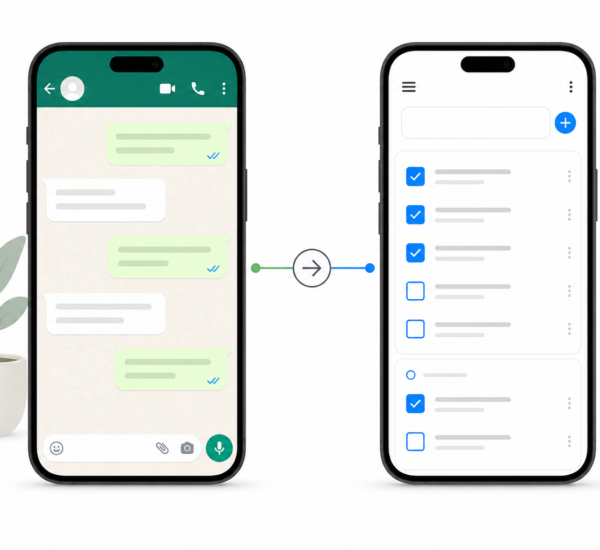
AI tools in 2026 are increasingly capable of parsing communications and extracting actionable tasks automatically. Rather than relying on you to notice every commitment made in conversation, the system identifies them and surfaces them as tasks before they get lost.
any.do already supports creating tasks directly from your existing workflows, and as AI parsing improves, that capture layer becomes more automatic. The goal is a task list that reflects everything you have actually committed to, not just the things you remembered to write down.
What AI Cannot Do (and Why Judgment Still Matters)
AI task management in 2026 is powerful, but it is worth being clear about the limits. AI can optimize your schedule, but it cannot decide what your priorities should be. It can surface a neglected task, but it cannot know whether that task is still relevant. It can predict that you are behind, but it cannot have the conversation with your client about it.
The best use of AI in productivity is handling the logistics and pattern recognition so that your judgment and attention are reserved for decisions that actually require them. That is the division of labor that makes AI genuinely useful rather than just busy-feeling.
The people who get the most out of these tools are not the ones who hand over all control. They are the ones who use AI to get through the administrative layer faster, then apply their own thinking to the work that matters.
How to Start Using AI Productivity Tools Today
You do not need to overhaul your entire workflow to start benefiting from AI task management. A few practical starting points:
- Use a tool that combines tasks and calendar. AI scheduling only works when the system can see both your tasks and your available time. Keeping them in separate apps eliminates the most useful AI features before you start.
- Let the AI suggest your daily plan. Instead of manually deciding what to work on each morning, use your app’s daily planning feature and treat the AI suggestions as a starting point to review and adjust.
- Enable notifications for at-risk tasks. Proactive flagging is only useful if you actually see the flags. Make sure your productivity app has permission to surface reminders before deadlines become critical.
- Review weekly to calibrate. AI tools improve with feedback. When a suggestion is off or a scheduled block does not match reality, adjusting it helps the system learn your actual patterns over time.
The transition from manual task management to AI-assisted productivity does not happen overnight. But each small shift, from manually prioritizing to reviewing AI suggestions, from reacting to your inbox to working a structured plan, compounds into a meaningfully different way of working.
The Bottom Line on AI Task Management in 2026
The most significant thing AI has changed about personal productivity is not any single feature. It is the shift from you serving your task list to your task list serving you. The best AI productivity tools in 2026 reduce the overhead of staying organized, surface the right work at the right time, and free up the mental space that reactive task management constantly consumes.
If your current system requires significant daily effort just to keep it current, that is overhead you do not need to carry. any.do brings tasks, calendar, and intelligent planning together in one place, making it easier to stay on top of everything without the mental load of managing the system itself. Try it free and see how much lighter a well-designed productivity tool can feel.