
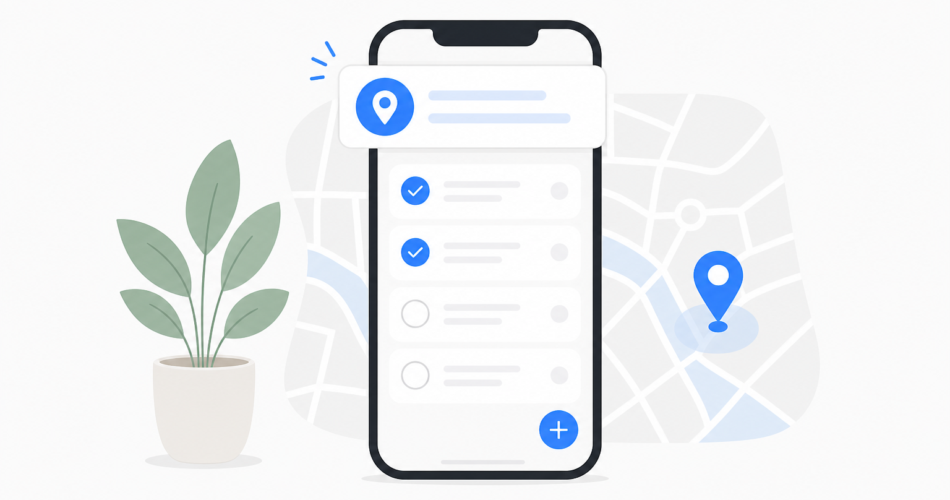
Walk into Target. Your phone reminds you. Grab the batteries you actually came for. Location reminders turn places into triggers so you stop driving home without the one thing you needed.
You already use your phone to remember tasks. You write lists, set alarms, block time on your calendar. But most reminders fire at a specific time, which means you get a notification at 3 PM to buy milk while you’re still at your desk. By the time you leave work and drive past the grocery store, you’ve forgotten again.
Location-based reminders solve this. They wait until you arrive at the right place, then tap you on the shoulder exactly when you can act.
How Location Reminders Work in Practice
The concept is simple. You attach a task to a physical location instead of a time. When your phone detects you’ve arrived at that spot, it sends the reminder.
Set a reminder for “pick up dry cleaning” and link it to the dry cleaner’s address. The next time you drive past, your phone alerts you. No need to remember which day you planned to stop by or set a recurring alarm that fires when you’re nowhere near the store.
This works for:
- Grocery store trips (“buy olive oil,” “grab birthday card”)
- Office arrivals (“ask Sarah about the budget,” “submit expense report”)
- Home reminders (“water the plants,” “call Mom”)
- Errands near specific stores or service providers
The reminder fires when geography aligns with your task, not when a clock ticks over to an arbitrary hour.
Why Time-Based Reminders Miss the Mark
Traditional reminders assume you’ll be in the right context at the scheduled time. But life doesn’t work that way.
You set a reminder to return library books at 10 AM on Saturday. At 10 AM, you’re making breakfast. You dismiss the notification. By the time you’re out running errands, the reminder is gone and the books are still sitting on your counter.
Location reminders flip the logic. Instead of guessing when you’ll be near the library, the task waits until you actually are. You pull into the parking lot, the reminder fires, and you grab the books from your back seat.
The Mental Load Difference
Every task you try to remember occupies a small slice of mental bandwidth. You rehearse it internally (“don’t forget the batteries, don’t forget the batteries”) or rely on visual cues that may or may not work.
Location reminders remove that rehearsal loop. You capture the task once, attach it to a place, and forget about it. Your phone becomes the one remembering, and it only speaks up when the information is useful.
Real Scenarios Where Location Triggers Shine
Consider a typical weekday. You’re managing work projects, coordinating with your partner on household tasks, and trying to squeeze in errands between meetings.
Morning commute: You arrive at the office. Your phone reminds you to grab the folder you left in your car and to follow up with a vendor about an invoice. Both tasks are location-specific and time-sensitive, but only when you’re physically at work.
Lunch break: You drive past the hardware store. A reminder pops up: “buy light bulbs for the garage.” You’ve been meaning to do this for two weeks, but you kept forgetting whenever you were near the store. Now you’re here, the reminder fires, and you pull in.
Evening pickup: You arrive at your kid’s school. Reminder: “ask the teacher about the field trip permission slip.” You would have driven home, realized you forgot, and had to email later. Instead, you handle it in person.
Grocery run: You walk into the store. Your shared family list reminds you about the three items your partner added this morning. No second trip required.
Setting Up Location Reminders Without Friction
The feature only works if it’s easy to use. You shouldn’t need to enter GPS coordinates or spend five minutes configuring each task.
Good location reminders let you:
- Type or speak a task naturally (“remind me to buy stamps”)
- Add a location by typing an address, business name, or selecting from recent places
- Adjust the trigger radius if needed (some tasks need a tight radius, others work with a broader area)
The faster you can capture the task and attach the location, the more likely you are to use the feature consistently.
Privacy and Battery Considerations
Location features require access to your phone’s GPS. This raises two practical questions: battery drain and privacy.
Modern location services use geofencing, which monitors for entry into predefined areas without constant GPS polling. This keeps battery impact low. Your phone isn’t tracking every movement, it’s just watching for a handful of specific locations you’ve chosen.
Privacy-wise, you control which locations matter. You’re not broadcasting your whereabouts or sharing data with third parties. You’re simply telling your device, “when I arrive here, remind me of this.”
Bridging Work and Life in One System
The real power emerges when you use location reminders for both professional and personal tasks in a single tool.
Your office location holds work-related follow-ups. Your home location holds household tasks. The grocery store holds your shared family list. The co-working space you visit twice a month holds reminders to touch base with the freelancers you see there.
You don’t need separate apps for work tasks and home tasks. Geography becomes the organizing principle, and your task manager handles both contexts seamlessly.
Stop Relying on Memory Alone
You’re already carrying a device that knows where you are. Location-based reminders turn that awareness into a practical advantage.
Capture the task, attach the place, and let your phone do the remembering. When you arrive, you’ll know exactly what to do.


