
Productivity workers today face a frustrating reality: the tools we use to manage our time are scattered across multiple applications. Your tasks live in one app, your calendar in another, and your notes in a third. This fragmentation isn’t just inconvenient; it’s a serious barrier to effective productivity and time management.
The consequence is predictable. You schedule time on your calendar to work on a project, but your task management app doesn’t know that you’ve blocked off that time, so it suggests other tasks during your focused work window. You check your calendar to find free time for a new project, but you can’t immediately see how many existing tasks need to complete before you can reallocate that time. You end up spending as much energy coordinating your tools as actually getting work done.
The solution is task management with seamless calendar integration. Instead of maintaining separate systems, you need one unified productivity environment where tasks and calendar events inform each other. Any.do has perfected this integration, and it fundamentally changes how you manage your workload.
The Fragmentation Problem in Modern Productivity
To understand why integrated task management matters, consider how most people currently operate.
They open their calendar in the morning to see what meetings they have. They switch to their task management app to review their to-do list. They spend 10 minutes manually figuring out when they have time to actually accomplish the tasks on their list, accounting for meetings, transitions between locations, and realistic work blocks. Every time something changes (a meeting gets rescheduled, a new task arrives), they need to manually adjust this mental model.
This constant context-switching has a real cost. Research on multitasking shows that even brief interruptions for switching between applications can reduce productivity by up to 40 percent. More importantly, the cognitive load of manually coordinating separate systems means your brain is working on logistics rather than the actual work that matters.
Some teams try to solve this by maintaining complicated color-coded systems, using browser tabs with both apps open simultaneously, or using one app as a “primary” system and manually copying information to other apps. These workarounds create the illusion of integration while adding more maintenance burden.
The fundamental problem is that tasks and calendar events aren’t truly connected. Your calendar doesn’t know that a task requires 3 hours, so it can’t suggest optimal time blocks. Your task app doesn’t know that you’re fully booked Tuesday afternoon, so it can’t adapt your task view accordingly. These disconnected tools create friction in your workflow.
How Integrated Task and Calendar Management Works
A truly integrated system solves this by making your calendar and tasks fundamentally aware of each other. Instead of maintaining two separate data sources, you maintain one unified view of your time and commitments.
When you create a task, you can immediately see it against your calendar. If you say a task takes 2 hours and you need it done by Friday, the system can visually show you whether you have 2 free hours available before Friday. You can drag and drop the task directly onto a calendar time block to schedule it, and it becomes both a task and a calendar event.
When you schedule a meeting, it immediately appears in your task view as a commitment that will impact your available time. When you’re planning your week, you’re looking at one unified view that includes both commitments (meetings) and goals (tasks).
This integration eliminates context-switching and provides clear visibility into your actual capacity. Instead of saying “I have time for this task,” you can say “I have 2 hours of unblocked time on Wednesday to work on this task, and that’s when I’ll do it.”
Any.do’s Integrated Task and Calendar Approach
Any.do is built on this integrated principle from the ground up. Unlike tools that bolt on calendar features as an afterthought, Any.do treats task management and calendar as interconnected aspects of the same problem: how to manage your time effectively.
The Unified Dashboard
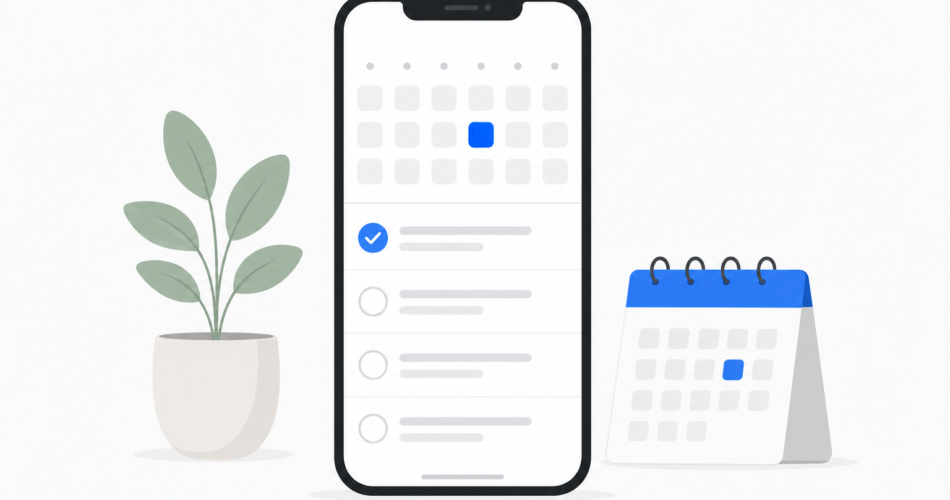
When you open Any.do, you don’t see a task list on one screen and a calendar on another. You see a unified dashboard that combines your tasks, calendar events, and available time in one place. This eliminates the switching between apps that wastes so much time and cognitive energy.
The interface is intuitive: you can see your day, week, or month view, and both calendar events and tasks appear seamlessly together. You can drag a task onto a specific time block to assign time for it, converting it into a calendar event while keeping it tracked as a task. The system prevents you from accidentally double-booking yourself.
My Day Planning Feature
One of Any.do’s most powerful features for integrated task management is the “My Day” view. This feature lets you prioritize which tasks you want to focus on for a given day, and it displays them alongside your calendar to show your full picture for the day.
You see all your meetings, then you see the tasks you’ve committed to completing, then you see your total free time. This transparency is crucial. You can immediately see if you’re overcommitted. If you have five hours of meetings and eight hours of tasks to complete, you know something has to give. You can adjust your task list before the day starts rather than discovering halfway through that you’ve promised more than you can deliver.
Seamless Calendar Integrations
Any.do doesn’t try to replace your existing calendar system. Instead, it integrates with the calendar systems you already use. Whether you’re on Google Calendar or Outlook, your events automatically sync into Any.do’s task management environment.
This is crucial because most organizations maintain calendar requirements. You need your calendar shared with colleagues, synced across your devices, and backed up by enterprise infrastructure. Any.do respects that. It doesn’t try to replace your calendar provider; it enhances it by adding smart task integration.
Visit Any.do to see the complete list of integrations and capabilities.
Recurring Tasks and Calendar Repetition
Integrated task management handles recurring tasks elegantly. If you need to do something every week, you can set it as a recurring task and Any.do automatically schedules space for it on your calendar. If you skip a recurring task one week, the system adapts.
This works for calendar events too. If you have a recurring meeting, it automatically appears in your task view as a recurring commitment that affects your available time.
Location-Based Reminders
Any.do takes integration further by adding location-based reminders to your task list. Instead of just having a task with a date, you can set a task to remind you when you’re in a certain location. This bridges the gap between your calendar (which shows you time) and your physical location (which shows you opportunity).
You might have a task “pick up dry cleaning” with a location-based reminder that triggers when you’re near the cleaner. Your calendar might show you have 15 free minutes between a 2 PM meeting and a 3 PM conference call, but you won’t be near the cleaner during those 15 minutes. The location-based reminder ensures you’re reminded at the right time and place, not just at a scheduled time.
Task Management with Calendar Integration for Professionals
Professionals benefit dramatically from integrated task and calendar management because their work involves both scheduled meetings and unscheduled project work.
A project manager might have her calendar packed with status update meetings and client calls, but she also needs deep focus time to do actual project planning. With integrated task management, she can see her calendar commitments and schedule task-focused work blocks in the gaps. She can immediately see when she has a solid 2-hour block available for designing a new project timeline.
A consultant juggling multiple client projects needs to balance billable client time against internal administration and business development. An integrated system shows both sides, preventing double-booking and highlighting when he’s allocated all his available time.
A founder managing a startup needs complete visibility into both her scheduled commitments (fundraising meetings, board calls, customer meetings) and her task-focused goals (product strategy, hiring, fund deployment). An integrated tool ensures she’s not missing anything and can see exactly how much time she’s allocated to different categories of work.
For team coordination, Any.do extends these benefits. Visit any.do/for-teams to learn how teams and organizations scale integrated task management.
Comparison to Standalone Approaches
Some of the most popular productivity tools still rely on the fragmented approach. Todoist is an excellent task manager, but it requires a separate integration with Google Calendar or Outlook to see your calendar. Microsoft To Do is integrated with Outlook calendar, but many people find the integration shallow and the interface clunky. Notion can theoretically combine tasks and calendar, but it requires significant setup and configuration.
What makes Any.do different is that integration is built into the core experience. You’re not adding calendar to a task manager or tasks to a calendar. You’re using a system designed from the beginning to treat these as two aspects of the same problem.
The Productivity Impact of Integration
The research on task management effectiveness shows that people who can see their full commitments (meetings plus tasks) are significantly more accurate at estimating whether they can commit to new work. They experience less stress because they’re not constantly surprised by overcommitment. They have better focus because they’re working from a clear plan rather than a growing sense of vague anxiety.
More practically, integrated task management saves time. Instead of spending 15 minutes a day switching between apps and manually syncing information, you spend that time actually working on what matters.
Getting Started with Integrated Productivity
If you’re ready to eliminate the fragmentation in your productivity setup, start with Any.do’s free tier. Create a few tasks, connect your calendar, and experience what it’s like to have a unified view of your time and commitments.
The free version gives you everything you need to see the benefits. If you want advanced features like more integrations and priority support, Any.do Premium costs just $4.99 per month. See all available plans at any.do/pricing.
Many users find that the mere act of seeing tasks and calendar together is transformative. You’ll immediately realize you’ve been promising more than you can deliver, or you’ll discover hidden capacity you didn’t know you had. Both insights are valuable.
Start Your Integration Journey Today
Productivity isn’t about working harder. It’s about working with full visibility into your commitments and enough flexibility to actually accomplish what you commit to. Task management with calendar integration gives you that visibility and flexibility.
Stop juggling separate apps and managing integration manually. Experience what it’s like when your calendar and tasks actually work together. Get started with Any.do and join the thousands of professionals who’ve simplified their productivity system and reclaimed time for actual work.


