
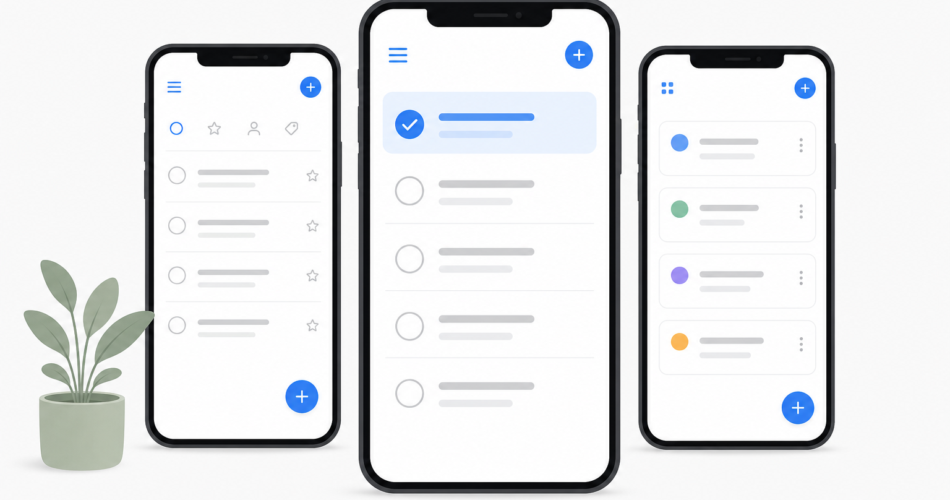
A to-do list app should do one thing above all: make it easier to actually finish what you set out to do. The hard part isn’t finding an app – it’s finding the one that fits how you work, so you stick with it past week three.
We put the most popular task managers of 2026 through the same everyday test: capturing tasks on the move, planning a realistic day, sharing a list with someone else, and living inside the app for a full week. Below is the honest result – what each app is genuinely good at, where it falls short, and who should pick it.
Short on time? Here’s the quick verdict:
| If you want… | Pick |
|---|---|
| The best all-rounder for daily life | Any.do |
| The fastest, cleanest task capture | Todoist |
| The most features for the lowest price | TickTick |
| A free option inside the Microsoft ecosystem | Microsoft To Do |
| A beautifully minimal app for Apple devices | Things 3 |
| A free, no-frills list tied to Google | Google Tasks |
The rest of this guide explains how we judged each app and walks through all nine in detail.
How we evaluated these apps
Every app on this list was scored against the same five criteria – the things that actually determine whether a to-do app earns a place in your day:
- Speed of capture. If adding a task takes more than a couple of seconds, you won’t do it. We looked for natural-language input (“call dentist tomorrow at 3pm” becoming a dated task automatically), quick-add widgets, and voice capture.
- Daily planning. A long list isn’t a plan. The best apps help you decide what to do today, not just store everything you might do eventually.
- Calendar integration. Tasks and appointments compete for the same hours. Apps that show both together help you plan a day you can realistically finish.
- Collaboration and sharing. Shared lists for a partner, family, or small team – without forcing everyone into heavyweight project-management software.
- Price and platform coverage. What you get free, what the upgrade costs, and whether the app works everywhere you do.
No app wins on all five. The right choice depends on which criteria matter most to you.
1. Any.do – best all-rounder for daily life
Any.do has spent over a decade focused on one audience that most competitors treat as an afterthought: the individual or family trying to run real life, not a 50-person engineering project. In 2026 it sits in a genuinely useful middle ground – lighter than ClickUp or Asana, but more capable than a bare task list.
What stands out: The “My Day” planning ritual is the core idea. Each morning the app walks you through your tasks and asks what you’ll actually tackle today, which turns an overwhelming backlog into a short, doable plan. Tasks and your calendar live in one view, so you’re planning around your real available hours. Natural-language input is quick, the design is clean enough to use without a tutorial, and the Smart Grocery List automatically sorts items into supermarket aisles – a small feature that everyday users genuinely love.
Where it shines for sharing: Any.do’s shared spaces and the dedicated Family plan make it one of the most natural picks for households. Each person keeps a private space while shared projects, calendars, and grocery boards stay in sync.
Limitations: The free plan covers personal task management well but holds back advanced recurring reminders, location reminders, and Focus Mode. Power users who want deep project structures with dependencies should look at heavier tools.
Pricing: Free plan with unlimited tasks, subtasks, and grocery lists. Premium is $4.99/month billed annually ($7.99 monthly). The Family plan covers up to four members for $8.33/month billed annually ($9.99 monthly) – one flat price, not per person.
Best for: Individuals and families who want one clean app for tasks, calendar, and shared lists – powerful enough to be useful, simple enough to stick with.
2. Todoist – best for fast, frictionless capture
Todoist is the app many productivity enthusiasts reach for first, and for good reason: it has spent years perfecting the single act of getting a task out of your head and into a trusted system.
What stands out: Best-in-class natural-language parsing. Type “Submit report every second Thursday at 3pm” and Todoist sets the date, time, and recurrence without you touching a menu. The interface is fast and uncluttered, sync is reliable, and it runs on virtually every platform – including Linux and both major smartwatch systems. In early 2026 Todoist added Ramble, an AI voice-to-task feature that turns spoken thoughts into organized tasks.
Limitations: Todoist is a task manager, not a planner. It shows tasks by date but doesn’t truly merge with your calendar or support real time blocking without a workaround. The free plan caps you at five projects, which feels tight quickly. There are no task dependencies for complex workflows.
Pricing: Free plan (5 projects, 5 collaborators per project). Pro is $5/month billed annually ($60/year) after a December 2025 price increase. Business is $8/user/month billed annually.
Best for: Individuals who capture a high volume of tasks, value speed above all, and want a clean system that syncs everywhere.
3. TickTick – best value, most features for the price
TickTick is the closest functional twin to a full productivity suite at a budget price. It quietly bundles in tools that competitors either charge extra for or don’t offer at all.
What stands out: A built-in Pomodoro timer, a habit tracker, an Eisenhower Matrix view for prioritization, and native calendar views – all inside one app. Natural-language input works well, and there’s a system-wide quick-add shortcut on desktop.
Limitations: With so many features, the interface can feel busier than Todoist’s or Any.do’s. Collaboration is functional but basic compared with apps built around shared spaces.
Pricing: A capable free tier, with Premium at roughly $35.99/year (about $3/month) – noticeably cheaper than Todoist Pro.
Best for: People who want an all-in-one productivity toolkit – tasks, habits, focus timer – without paying a premium.
4. Microsoft To Do – best free option for Microsoft users
Microsoft To Do is genuinely good and completely free. Its real strength is integration: flag an email in Outlook and it appears as a task; your tasks sync across the Microsoft ecosystem.
What stands out: A clean, friendly interface, a smart “My Day” suggestion list, and zero cost. For anyone living in Outlook, it removes the friction of a separate app.
Limitations: It’s deliberately simple. There’s no built-in calendar view of your own, limited collaboration, and few advanced features. As Microsoft reshapes its apps around AI, To Do has lost a few capabilities along the way.
Pricing: Completely free.
Best for: Outlook and Windows users who want a no-cost task list that talks to the tools they already use.
5. Things 3 – best for minimalists on Apple devices
Things 3 is the design lover’s task manager. It’s an Apple-only, one-time-purchase app that treats elegance and calm as features.
What stands out: Possibly the most polished interface in the category. The structure – Areas, Projects, and a thoughtful Today view – encourages clear thinking without clutter. No subscription.
Limitations: Apple-only. No Android, no web, no Windows. No real-time collaboration. The one-time price is per platform (iPhone, iPad, and Mac are separate purchases).
Pricing: One-time purchase per device, no subscription.
Best for: Apple-only users who value design and calm, work solo, and prefer to buy once rather than subscribe.
6. Google Tasks – best barebones free list
Google Tasks is the minimalist’s default. It lives inside Gmail and Google Calendar, so if you’re already there all day, your list is one click away.
What stands out: Zero setup, zero cost, and tight integration with Gmail and Google Calendar. Tasks with dates show up on your calendar automatically.
Limitations: It’s about as basic as a digital list gets. No natural-language input, no collaboration, limited organization. It’s a companion to Google’s apps, not a standalone productivity system.
Pricing: Free with a Google account.
Best for: Heavy Gmail and Google Calendar users who want the simplest possible list and nothing more.
7. ClickUp – best if your “to-do list” is really project management
ClickUp is a full work-management platform that can be scaled down to a personal task list. If your tasks routinely involve teammates, deadlines, and multiple views (board, calendar, Gantt), it has the depth.
What stands out: Enormous flexibility – custom fields, multiple views, automations, templates for nearly any workflow.
Limitations: That power is also the problem. For someone who just wants to remember to buy milk and call the dentist, ClickUp is heavy and takes real time to set up. The interface can feel overwhelming for personal use.
Pricing: Free plan available; paid plans are priced per user for teams.
Best for: Small teams whose task list is genuinely a set of projects, not individuals managing personal life.
8. Trello – best for visual, board-based organizers
Trello turns your to-do list into a board of cards you drag between columns. Some people think far more clearly in this visual, Kanban-style layout than in a vertical list.
What stands out: The board metaphor is intuitive and satisfying. It’s flexible enough to organize anything from a job search to a home renovation.
Limitations: It’s not built as a personal daily planner. There’s no strong “what should I do today” view, and managing dates and reminders is clunkier than in a dedicated task app.
Pricing: Free plan available; paid plans for added features and team use.
Best for: Visual thinkers who want to organize projects on boards rather than work from a list.
9. Apple Reminders – best built-in option for the Apple ecosystem
Apple Reminders has quietly become capable. It’s free, pre-installed on every Apple device, and now handles lists, sub-tasks, tags, location and time reminders, and shared lists.
What stands out: Deep system integration – Siri capture, location-based alerts, smart suggestions – and shared lists that work well for couples. It costs nothing.
Limitations: Apple-only. There’s no version for Android or Windows, which makes it a non-starter for mixed-device households or teams.
Pricing: Free on Apple devices.
Best for: All-Apple users and households who want a solid, free, built-in option.
How to choose the right to-do list app for you
Cut through the list with a few honest questions:
- Do you and your family use different kinds of devices? Skip the Apple-only apps (Things 3, Apple Reminders). Choose a cross-platform app like Any.do, Todoist, or TickTick.
- Do you need to share lists with a partner or household? Prioritize apps built around shared spaces – Any.do (especially its Family plan) is the most natural fit.
- Is your “to-do list” really a set of team projects? Look at ClickUp or a dedicated project tool, not a personal task app.
- Do you want tasks and calendar in one place to plan realistically? Any.do and TickTick both merge the two well.
- Are you a minimalist who just wants a fast, clean list? Todoist for cross-platform, Things 3 if you’re all-Apple.
- Want to spend nothing? Microsoft To Do, Google Tasks, and Apple Reminders are all genuinely usable for free.
The best app is the one you’ll still be using in three months. Most of these offer a free plan or trial – pick two that fit your answers above, use each for a week, and keep the one that disappears into your routine.
Frequently asked questions
What is the best to-do list app overall in 2026?
For most individuals and families, Any.do is the best all-rounder – it balances fast task capture, daily planning, calendar integration, and shared lists in one clean app. The “best” app, though, depends on your devices, whether you share lists, and your budget.
What is the best free to-do list app?
Microsoft To Do, Google Tasks, and Apple Reminders are all fully free and genuinely capable. Any.do, Todoist, and TickTick also offer free plans that work well for personal task management, with paid upgrades for advanced features.
What’s the best to-do list app for families?
Any.do is the strongest pick for households. Its shared spaces and dedicated Family plan (one flat price for up to four members) let everyone keep a private space while sharing calendars, projects, and grocery lists.
Do I really need a paid to-do list app?
Not necessarily. Free plans cover basic task management well. You typically upgrade for advanced recurring reminders, location-based alerts, deeper collaboration, or AI features. Try the free version first and upgrade only when you hit a limit that actually slows you down.
What’s the difference between a to-do list app and project management software?
A to-do list app is built for personal and light shared task management – quick, simple, low-overhead. Project management software (ClickUp, Asana, monday.com) adds dependencies, multiple views, reporting, and admin controls for teams. Using project software for personal tasks usually creates more friction than it removes.


