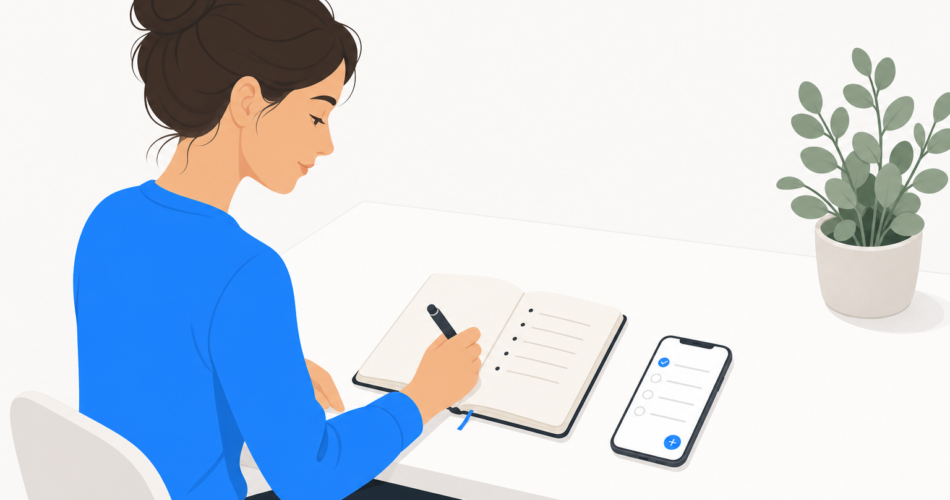
Almost everyone makes to-do lists. Far fewer actually use them. The list gets written in a burst of good intentions, a few things get crossed off, and within days it’s an abandoned, guilt-inducing scroll of half-finished items.
The problem usually isn’t you – it’s the list. Most to-do lists are built in a way that quietly guarantees failure: too long, no priorities, no dates, everything jumbled together. A list built well does the opposite. It makes the next step obvious and the day feel doable.
This guide shows you how to make a to-do list that actually works.
Why most to-do lists fail
If your lists keep falling apart, it’s almost always one of these reasons:
- The list is too long. A list of 30 items isn’t a plan – it’s a backlog. It’s overwhelming to look at, so you avoid it.
- Everything looks equally important. “Reply to email” sits next to “finish the project proposal” with no visual difference. Without priority, you default to the easy items.
- Tasks have no dates. A list with no “when” is just a pile. Tasks drift indefinitely because nothing says they’re due.
- Tasks are too vague or too big. “Plan vacation” isn’t a task – it’s a project. You can’t do it, so you don’t start it.
- It mixes everything together. Today’s urgent work, a someday idea, and a weekly errand all on one list creates noise that buries what matters now.
A good to-do list is designed to avoid every one of these traps.
The anatomy of a to-do list that works
A list that actually gets used has a few consistent qualities:
- It’s short and realistic. A usable daily list is a handful of items, not everything you could possibly do. It reflects honest capacity.
- It’s prioritized. The most important task is clearly marked, so you always know what to do next.
- Tasks have dates. Every task has a “when” – today, a specific day, or a deliberate “someday” bucket.
- Tasks are concrete and small. Each item is a single, doable action. If it can’t be done in one sitting, it’s a project and needs to be broken down.
- It separates today from everything else. What you’re doing today is visually distinct from your broader backlog.
How to make a to-do list: step by step
- Brain-dump everything first. Get every task, big and small, out of your head and into one place. You can’t organize what you can’t see, and a cluttered mind is worse than a long list.
- Make each item a concrete action. Rewrite vague items as specific next steps. “Plan vacation” becomes “choose destination,” “compare flight prices,” “book hotel.” A task should be something you can actually start.
- Break big items into smaller ones. Anything that takes more than one sitting is a project. List its individual tasks instead – projects don’t get done, tasks do.
- Prioritize. Mark the genuinely important items. A simple approach: identify your top one to three Most Important Tasks – the ones that make the day a success if nothing else gets done.
- Assign dates. Give each task a “when.” Be honest about how much fits in a day. Tasks without dates drift forever.
- Build a short list for today. Pull just today’s tasks into a separate, focused view. This – not the full backlog – is what you work from. Keep it realistic: a few items, not twenty.
- Review and reset daily. At the end of the day, check off what’s done, carry over what isn’t, and set up tomorrow’s short list. A list is a living thing, not a one-time document.
Daily, weekly, and someday lists
One flat list trying to hold everything is a common failure. It works far better to think in three layers:
- The daily list (today). Short, focused, realistic. Just what you’re committed to doing today. This is your working list – the one you actually look at.
- The weekly list. Tasks due this week but not today. They wait here until their day comes, so they don’t clutter today’s view.
- The someday list. Ideas and tasks with no deadline – things you’d like to do eventually. Capturing them gets them out of your head without letting them crowd your real plan.
Tasks flow between the layers: a someday item gets a date and becomes a weekly task; a weekly task becomes a today task on its day. The key is that your daily list stays clean and small, while nothing gets lost.
Common mistakes to avoid
Writing tomorrow’s list at the size of a whole week. Be honest about one day’s capacity. An impossible list demoralizes you before you start.
Never finishing a list. If a list always rolls over with most items undone, it’s too long. Cut it down until finishing it is realistic – the feeling of completing a list is genuinely motivating.
Leaving tasks vague. “Sort out finances” will sit there for months. “Cancel unused subscriptions” gets done. Specific, small, actionable.
Letting the list become a graveyard. If items sit untouched for weeks, either schedule them, shrink them, or honestly delete them. A list full of dead tasks teaches you to ignore the list.
Only adding, never reviewing. A list you only add to grows forever. The daily review – checking off, carrying over, resetting – is what keeps it alive and trustworthy.
Digital vs paper: which should you use?
Both work. The right choice depends on how you operate.
Paper is tactile, distraction-free, and satisfying to cross out. It’s great for a single day’s focused list. But it can’t remind you of anything, can’t be in two places at once, doesn’t handle recurring tasks, and is easy to lose.
A digital to-do list app handles the things paper can’t:
- Reminders so deadlines reach you instead of relying on memory.
- Recurring tasks set once and repeating automatically.
- Sync across devices – your list is on your phone, laptop, and tablet.
- Easy prioritizing and dating without rewriting the whole list.
- Separation of today, this week, and someday into clean views.
- Sharing lists with family or colleagues.
For most people, a digital list is the more reliable backbone – especially because it handles dates, reminders, and the daily-versus-someday separation automatically. Some people use both: a digital app as the system of record, and a small paper list each morning for focused, screen-free work.
If you go digital, an app like Any.do is built around exactly the structure above – a focused “My Day” view for today, separate from your broader lists, with reminders, recurring tasks, and cross-device sync – so the good habits in this guide are built into how the app works rather than something you have to enforce yourself.
Frequently asked questions
How do I make a to-do list that I’ll actually use?
Start by brain-dumping every task, then make each one a concrete, doable action. Break big items into smaller tasks, prioritize the few that matter most, give tasks dates, and build a short, realistic list for today that’s separate from your full backlog. Review and reset it daily.
Why don’t my to-do lists ever work?
The most common reasons are that the list is too long, has no priorities or dates, contains vague or oversized tasks, and mixes today’s work with someday ideas. A list that works is short, prioritized, dated, made of concrete actions, and keeps today separate from everything else.
How many things should be on my daily to-do list?
Keep your daily list short and realistic – a handful of items, not twenty. A useful approach is to choose one to three Most Important Tasks that define a successful day, then add only a few smaller items beyond that.
Should I use a paper or digital to-do list?
Both work. Paper is tactile and distraction-free, good for a single day’s focus, but can’t send reminders or sync. A digital app handles reminders, recurring tasks, dates, and cross-device sync automatically, making it a more reliable backbone. Some people use a digital app as their main system and a small paper list each morning.
What’s the difference between a task and a project on a to-do list?
A task is a single action you can do in one sitting (“book the hotel”). A project is something larger that requires multiple tasks (“plan the vacation”). Projects don’t belong on a to-do list as single items – break them into their individual tasks, because tasks get done and vague projects don’t.
How often should I update my to-do list?
Daily. At the end of each day, check off what’s done, carry over what isn’t, and set up a short, realistic list for tomorrow. A to-do list is a living tool – the daily review is what keeps it accurate and worth trusting.