
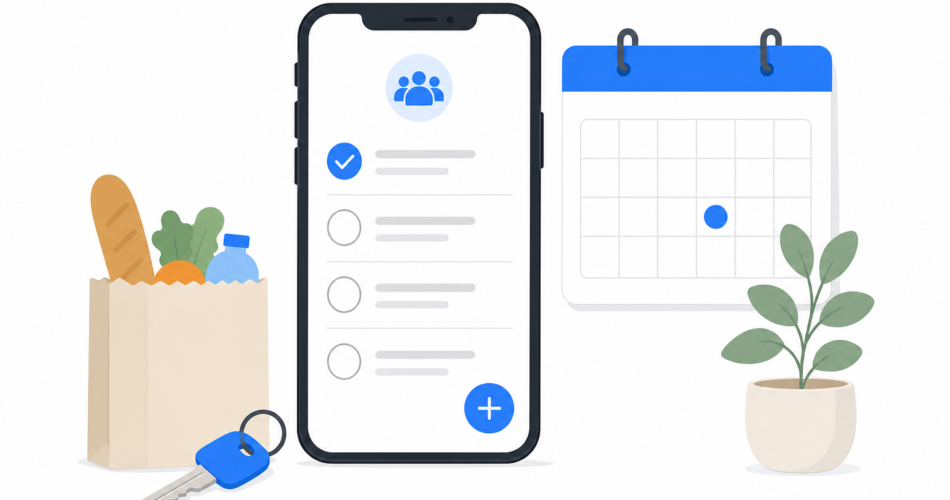
Every busy household runs on the same fragile system: one person – usually the same person – holds the whole schedule in their head. Who has practice Thursday. When the dentist is. What’s for dinner. Whether anyone bought milk. It works right up until that person is busy, sick, or simply forgets one thing – and then something gets missed.
The fix isn’t a better memory. It’s getting the household’s schedule and tasks out of one head and into one shared place everyone can see. This guide explains how to set that up, what a good family system needs, and how to stop the mental load falling on a single person.
The real problem: a household has no shared brain
Most family-organization breakdowns trace back to the same root cause. The information exists – but it’s scattered:
- School dates are in an email someone half-remembers.
- Appointments are in one parent’s phone calendar.
- The grocery list is on the fridge, or in someone’s head, or three different places.
- Chores are assigned verbally and then forgotten.
- “Who’s picking up the kids?” gets sorted by text, every single time.
No one is disorganized. The household just has no shared system – no single source of truth. The result is missed events, double-bookings, last-minute scrambles, and a quietly resentful imbalance, because one person ends up being the household’s memory.
A shared family calendar and to-do list fixes this by giving everyone access to the same information at the same time.
What a good family organization system needs
Not every app works for a household. A real family system needs five things:
- A shared calendar everyone can see and edit. School events, appointments, work trips, activities – visible to the whole family, not locked in one person’s phone.
- Shared lists and tasks. Groceries, chores, errands, packing lists – that anyone can add to and check off.
- Reminders that actually reach people. A task assigned to a teenager is useless if they never see it. Notifications and reminders need to land.
- A private space for each person, too. Family members shouldn’t have to mix their personal to-dos into the shared pile. The best systems give everyone a private area and a shared one.
- Works on every device. Households are mixed – iPhone, Android, a shared tablet, a laptop. A system that only works on one platform leaves someone out, and a system that excludes one person isn’t a system.
That last point quietly rules out a lot of options. A built-in calendar that only works on one operating system can’t be the family hub if anyone in the family uses something else.
How to set up a shared family calendar and to-do list
Here’s a practical setup that works for most households. The steps below use Any.do as the example, since its Family plan is built specifically for this, but the principles apply to any capable shared app.
- Choose a cross-platform app with shared spaces. It has to work on whatever devices your family actually uses. Any.do’s Family plan covers up to four members for one flat price and runs on iOS, Android, Mac, Windows, and the web.
- Create your shared family space. This is the household hub. Everyone in it sees the shared calendar, projects, and lists.
- Build the shared calendar. Add recurring events first – school terms, regular activities, work schedules – then one-off appointments. Now the whole family can see the week at a glance.
- Set up shared lists. Start with the three that cause the most friction: a grocery list, a chores list, and a general errands or “household to-do” list. Any.do’s Smart Grocery List auto-sorts items by aisle, which makes shared shopping genuinely faster.
- Assign tasks and chores to people. Give each chore an owner and a due date so “someone should do this” becomes “this is yours, by Friday.”
- Keep personal tasks personal. Each family member also has a private space for their own to-dos, so the shared lists stay focused on genuinely shared things.
- Make checking it a small habit. A shared system only works if people look at it. A 30-second glance at the family calendar over breakfast replaces a dozen “what’s happening today?” conversations.
Solving the everyday friction points
Groceries. Instead of a fridge note only one person sees, a shared grocery list lets anyone add an item the moment they notice it’s running low – and whoever’s at the store has the full, current list. An auto-sorting list (by supermarket aisle) makes the actual shop quicker.
Chores. Assign each recurring chore to a person with a repeat schedule. Everyone can see what’s theirs, and nothing depends on someone remembering to nag.
“Who’s doing the pickup?” When schedules live in a shared calendar, this conversation mostly disappears. People can see the gaps and conflicts themselves.
Mental load. This is the real win. When the household’s schedule and tasks live in a shared system, the job of remembering everything stops belonging to one person. The system remembers. That’s a genuine improvement in fairness, not just convenience.
Why a cross-platform app beats the alternatives
Versus a paper wall calendar: Paper can’t send reminders, can’t be checked from the grocery store, and only updates when someone’s standing in the kitchen. It’s a display, not a system.
Versus one person’s phone calendar: It’s invisible to everyone else. The whole problem is that the schedule lives in one head – or one phone – and a private calendar just moves the bottleneck.
Versus a single-platform built-in app: A calendar app tied to one operating system can’t include a family member who uses a different kind of phone. For a mixed-device household, cross-platform isn’t a nice-to-have – it’s the whole point.
A dedicated, cross-platform family app combines the shared calendar, shared lists, reminders, and per-person privacy in one place that works for everyone.
Frequently asked questions
What is the best app for family organization?
The best family organization app combines a shared calendar, shared lists, per-person reminders, and a private space for each member – and works on every device your family uses. Any.do’s Family plan is built specifically for this, covering up to four members for one flat price across iOS, Android, Mac, Windows, and web.
What’s the difference between a family calendar app and a regular calendar?
A regular calendar typically belongs to one person on one device. A family calendar app is shared – every household member can see and edit the same schedule, so events aren’t trapped in one person’s phone.
How do I share a to-do list with my family?
Use an app with shared spaces. Create a shared family space, then build shared lists (groceries, chores, errands) that everyone can add to and check off. Apps like Any.do let you assign tasks to specific family members with due dates.
Can I keep my personal tasks separate from the family list?
Yes, with the right app. Good family apps give each member a private personal space alongside the shared family space, so your own to-dos don’t mix into the household lists.
Is there a family calendar app that works on both iPhone and Android?
Yes. Cross-platform apps like Any.do work on iOS, Android, Mac, Windows, and the web – important for mixed-device households, since a single-platform app would leave out anyone using a different kind of device.
How does a shared family system reduce mental load?
When the household’s schedule and tasks live in a shared system everyone can see, the job of remembering everything stops falling on one person. The system holds the information, and any family member can check it – which makes the household’s organization fairer, not just more convenient.


