
Why Task Management for Nurses Is Different
Task management for nurses does not work like task management for office workers, and most productivity advice misses this completely. Standard advice assumes a predictable eight-hour day with a consistent set of priorities and no one’s health depending on whether you remember to do something. Nursing is none of these things. A 12-hour shift means that by the time you are home, your brain has already processed more high-stakes decisions than most people make in a week. The last thing that feels useful is a to-do list that asks you to also manage your personal deadlines, your continuing education hours, your bills, and next week’s schedule.
Healthcare worker productivity is a real problem, and it is not a motivation problem. Nurses are among the most competent, high-functioning people in any organization. The problem is that the tools and systems designed for knowledge workers do not map onto shift work, clinical priorities, unpredictable handoffs, and the kind of cognitive load that comes from managing multiple patients at once. This guide is about building a task management system that fits how nurses and healthcare workers actually live, not how productivity writers imagine they do.
The Three Separate Buckets of a Nurse’s Task Life
Before building any system, it helps to recognize that task management for nurses spans three completely separate domains, each with its own urgency and time horizon.
Clinical tasks during your shift
These are the tasks that happen at the bedside and on the floor: medication administration windows, IV changes, wound assessments, vital sign checks, physician call-backs, discharge preparations, and the ongoing stream of patient needs that arrive without warning. These tasks are managed in your facility’s clinical systems, verbal handoffs, your personal brain-based tracking methods, and whatever paper or whiteboard systems your unit uses. No personal productivity app replaces your clinical workflow. That is not the goal here.
Professional tasks outside your shift
These are the tasks that belong to your career but do not happen during patient care: continuing education hours, license renewal deadlines, mandatory training modules, union paperwork, scheduling requests, peer review obligations, and any committee or charge responsibilities you hold. These tasks often have deadlines that are weeks or months away, which means they are easy to forget until they are urgent.
Personal tasks and life outside of work
This is where most nurses’ task management falls apart. After a 12-hour shift, you are not thinking about scheduling your car’s oil change or paying the quarterly insurance bill. But those tasks do not care that you just worked a double. They accumulate, and the cognitive overhead of tracking them in your head adds to the already significant mental load of healthcare work.
A good task management system for nurses holds all three of these buckets in one place, structured so that the urgent clinical reminders never compete with the long-horizon professional deadlines or the personal errands that just need to get done when you have energy.
Building a Task System Around Shift Work
Plan on your days off, not at the end of shifts
The worst time to plan is immediately after a 12-hour shift. Your brain is depleted, your decision quality is low, and any task you add to a list at that moment is likely to be either incomplete (“need to call someone about something”) or unrealistic (“I’ll do all of this tomorrow”). The better time is on your first day off, when you have had sleep and some recovery.
Use that time to do a single planning session: look at the next two weeks of shifts, identify any professional deadlines coming up, capture any personal tasks that have been living in your head, and date each one against the days when you are not working. A task with no date on a heavy shift week will not happen. A task dated to your next day off might.
Create separate lists for each domain
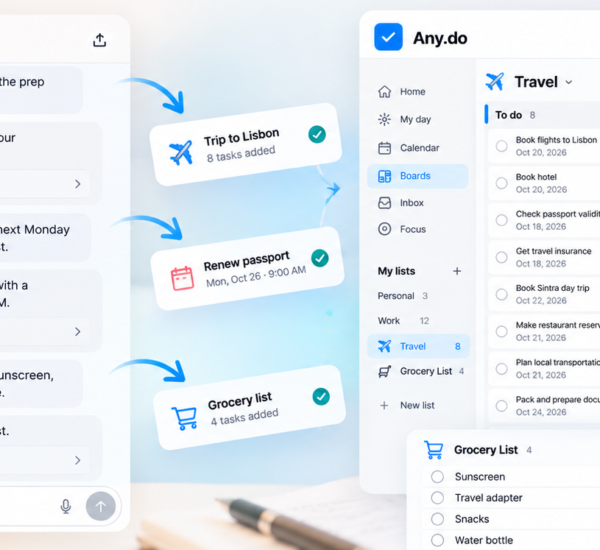
In Any.do, set up three lists that match the three buckets above. A “Work Admin” list for professional tasks: license renewal, CE hours, training deadlines, charge nurse responsibilities. A “Personal” list for everything outside work: appointments, errands, finances, family, household. And if you want a third, a “Shift Notes” list for the kind of clinical follow-up items that sometimes need to leave the unit with you, such as a family callback you committed to or a referral you need to follow up on the next day.
Keep these lists entirely separate. When you sit down to plan on your day off, you are looking at Work Admin and Personal tasks only. The Shift Notes list is for capturing things during or immediately after a shift, not for planning. The goal is that on your planning day, you see a clean set of dateable, completable tasks rather than a mixed pile of clinical reminders and personal errands.
Date everything against your actual schedule
Nurses often know their schedule weeks in advance. Before dating any task, open your calendar and mark your shift days. Any task dated to a shift day will not get done. Any task dated to a day off has a real chance. This sounds obvious, but most task management advice ignores shift schedules entirely and assumes every day is equally available.
In Any.do, the daily planner view shows your tasks alongside your calendar events, which makes this check automatic. When you are assigning a due date to a task, you can see at a glance whether that day already has a 12-hour shift on it. Planning your tasks against your actual calendar is especially important for shift workers, because the gap between available days and busy days is wider than it is for most workers.
Managing Professional Deadlines That Are Always in the Distance
License renewal, continuing education credits, annual competency sign-offs, and certification maintenance all share a common problem: their deadlines are far enough away that they feel non-urgent right up until they are critical. A nursing license that lapses because you forgot to submit the renewal on time is not a minor inconvenience. It is a career disruption.
The fix is treating professional deadlines the same way you would treat a patient’s medication schedule: set the reminder well before it is needed, not at the last possible moment.
For each annual or biennial professional obligation, add a task in your Work Admin list dated at least 60 days before the actual deadline. License renewal due in November means a task to start the process in September. CE hours due at year-end means a task in October to check your current count. The task is not “complete by this date.” It is “start by this date,” which gives you time to actually complete it without a crisis.
Pre-dating professional tasks against your work calendar means that when your day off arrives and you open your task list, those obligations are visible rather than buried in mental storage.
Protecting Personal Life From Shift Creep
One of the most common healthcare worker productivity problems is the bleed of work into personal time. Not just mentally, but practically. The charting that follows you home. The schedule change that eats your planned day off. The group chat that runs through the night with unit updates. The emotional weight of difficult patient situations that stays long after the shift ends.
A task system cannot solve the emotional part of this. But it can help with the practical part. If your personal tasks are in the same visible system as your professional ones, you have a concrete reminder on your days off that those days belong to you and have their own obligations. Personal tasks that are captured, dated, and planned are harder to accidentally defer indefinitely than tasks that are floating in mental storage.
A specific practice that helps: at the end of each shift, before you leave the building, spend two minutes on what nurses sometimes call a brain dump. Write down anything that does not belong in the clinical handoff but is taking up mental space. A call you need to make. Something you remembered about a personal task. A professional follow-up. Get it out of your head and into Any.do’s quick capture. The shift end is the natural moment for this kind of capture, because the mental boundary between work and personal time is clearest right there.
Task Management on Night Shifts and Rotating Schedules
Night shift nurses and those on rotating schedules face an additional layer of complexity: the boundary between one day and the next blurs, and the standard daily planning logic stops making sense. A night shift that starts at 7pm on Monday and ends at 7am on Tuesday does not fit neatly into a calendar day.
For rotating schedule workers, the most practical adjustment is planning by shift cluster rather than by calendar day. Instead of asking “what do I need to do Tuesday,” ask “what do I need to do during this stretch of nights” and “what do I need to do during this block of days off.” Group your tasks into these clusters and date them to the first available day of the right cluster.
Any.do’s calendar integration is particularly useful for this. Blocking your shift hours on your calendar means that when you look at your daily task view for a shift day, you can see immediately that the twelve-hour block is occupied and plan accordingly. Tasks that require a functioning brain in daylight hours get moved to the next days-off cluster automatically, rather than sitting undone and unexplained on a shift day.
When Unpredictability Is the Constant
Even the best-planned shift can become unplannable. Codes. Admits. Staffing crises. Patients who need more than anticipated. Healthcare worker productivity advice that does not acknowledge unpredictability is advice for a different profession.
The right response to shift unpredictability is not a more rigid system. It is a system that is easy to update and resilient to gaps. If your task list has three items dated to Tuesday and Tuesday becomes a survival shift, those tasks do not disappear. They sit in the overdue column, and on Wednesday’s planning session you reschedule them against the next available days off. The goal is not a perfect system that never has overdue tasks. It is a system that makes it easy to recover and replans without friction.
Any.do’s rescheduling function works well for this: overdue tasks are visible, moveable with a tap to the next available date, and do not require rebuilding the list from scratch. The same flexibility that works for other non-standard schedules applies here. The point is always to resume the system quickly after an interruption, not to have a system that never gets interrupted.
A Simple Starting System for Healthcare Workers
If you are starting from zero, here is a structure that works for most nurses and healthcare workers without requiring a major overhaul of how you currently manage your day:
- Three lists: Work Admin (professional deadlines), Personal (everything else in your life), Shift Notes (quick capture during or right after shifts)
- One planning session per week: On your first day off, spend 15 minutes reviewing and dating tasks against your upcoming shift schedule
- 60-day rule for professional deadlines: Any annual or biennial obligation gets a start task 60 days before the actual deadline
- Two-minute end-of-shift brain dump: Before leaving, capture anything sitting in your head that does not belong in the clinical handoff
- Shift days on your calendar: So the daily planner view never shows tasks dated to a 12-hour shift
This is not a complex system. It is a minimal one designed to hold the three separate domains of a healthcare worker’s task life without requiring significant daily maintenance. The goal is a system that works when you are rested and does not completely collapse when you are not.
Start With What You Are Already Tracking in Your Head
The best first step is the simplest one: take everything you are currently tracking mentally and move it out of your head. License renewal date, CE hours owed, the dentist appointment you keep meaning to book, the colleague you said you would follow up with, the bill you know is coming. All of it. Get it into a list.
Once it is out of your head and into a system, you can begin to organize it, date it, and plan it against your actual schedule. The mental load reduction alone is worth the fifteen minutes it takes to capture a complete list for the first time.
If you want a task management system designed around daily planning with calendar integration that fits around a non-standard schedule, Any.do is free to get started. The daily planner view, quick capture, and calendar sync work as well for 12-hour shift schedules as they do for standard workdays, with less friction than most productivity tools assume.