You have a to-do list. You have a calendar. And somehow, at the end of most days, the to-do list is longer than it was in the morning. Sound familiar?
The problem is not motivation. The problem is that a to-do list tells you what to do but never tells you when. Without a time commitment attached to each task, your day gets hijacked by meetings, messages, and whatever feels urgent in the moment.
Time blocking fixes this. It is the simplest productivity technique that actually works, and research suggests it can improve output by up to 80%. This guide shows you exactly how to start, with real examples and practical tips for making it stick.
What Is Time Blocking?
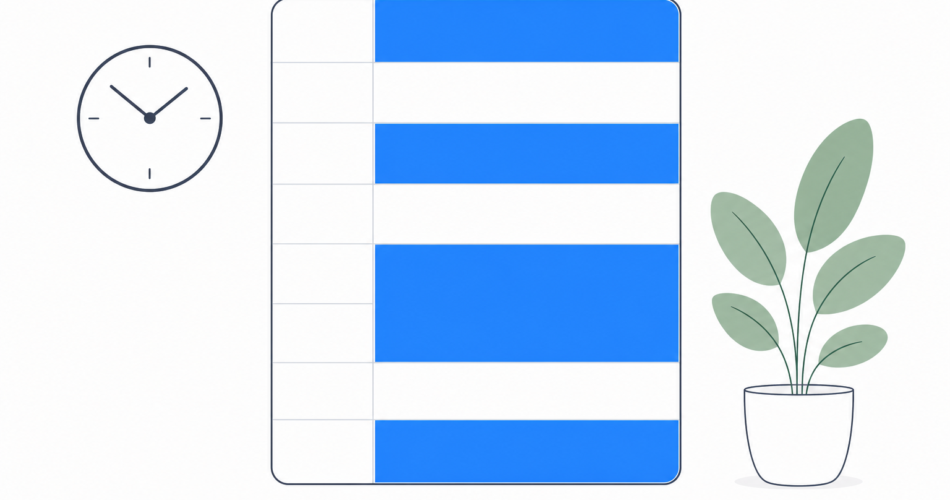
Time blocking is a scheduling method where you assign every task a specific slot on your calendar. Instead of keeping a floating list of things you need to do, you decide in advance when you will do each one and how long it will take.
A time-blocked day might look like this:
7:00 to 7:30 – Morning routine and coffee. 7:30 to 9:00 – Deep work on quarterly report. 9:00 to 9:30 – Email and Slack catch-up. 9:30 to 10:00 – Team standup. 10:00 to 12:00 – Project development. 12:00 to 1:00 – Lunch break. 1:00 to 2:30 – Client calls. 2:30 to 3:00 – Administrative tasks. 3:00 to 4:30 – Deep work on product roadmap. 4:30 to 5:00 – End-of-day review and tomorrow’s plan.
Notice that every minute has a purpose, including breaks. This is the core idea. When you give each task a home on your calendar, you stop spending mental energy deciding what to work on next.
Why Time Blocking Works
The reason time blocking is so effective comes down to three psychological principles.
Parkinson’s Law. Work expands to fill the time available. If you give yourself “all day” to write a report, it takes all day. If you block 90 minutes for it, you finish in 90 minutes, or close to it. A deadline, even a self-imposed one, creates focus.
Decision fatigue. Every time you switch between tasks or decide what to do next, you burn a small amount of mental energy. By the afternoon, that adds up. Time blocking eliminates hundreds of micro-decisions because your schedule tells you exactly what to do at every moment.
The planning fallacy. People consistently underestimate how long tasks take. Time blocking forces you to estimate duration for every task, and over time, you get better at it. You learn that “quick email” actually takes 20 minutes and “review the slides” takes an hour.
For a deeper look at staying focused during your blocked time, check out the Any.do guide to deep work.
How to Time Block Your Day: Step by Step
Step 1: Brain Dump Everything
Before you can block your time, you need to know what needs doing. Open your task manager, a notes app, or a blank sheet of paper and write down every task on your plate. Do not filter or prioritize yet. Just get it all out of your head.
Include work tasks, personal errands, recurring commitments, and anything that has been floating around in your mind. The goal is a complete inventory.
Step 2: Categorize and Prioritize
Group your tasks into categories. Common ones include deep work (tasks that need focus and uninterrupted time), shallow work (email, messages, administrative tasks), meetings (already scheduled), and personal (errands, exercise, appointments).
Then prioritize within each category. The Eisenhower Matrix is a useful framework: sort tasks by urgency (needs to happen today or this week) and importance (moves the needle on your goals). Do urgent and important tasks first. Schedule important but not urgent tasks during your best focus hours. Delegate or batch urgent but not important tasks. Eliminate the rest.
Step 3: Identify Your Peak Hours
Not all hours are equal. Most people have a window of 2 to 4 hours when they do their best thinking. For many people, that is the first few hours of the morning. For others, it is late morning or even evening.
Block your most demanding, high-value work during your peak hours. Save shallow work, email, and meetings for lower-energy times.
Step 4: Build Your Blocks
Open your calendar and start placing tasks. A few rules of thumb:
Keep deep work blocks between 60 and 120 minutes. Shorter blocks do not allow enough time to reach full focus. Longer blocks lead to fatigue.
Add buffer time between blocks. A 10 to 15 minute gap between tasks gives you transition time and absorbs overruns.
Batch similar tasks together. Do all your email at once rather than checking it throughout the day. Group phone calls. Handle all administrative work in a single block.
Block personal time too. Exercise, meals, and family time deserve a calendar slot just as much as work tasks do.
Step 5: Use a Tool That Supports Time Blocking
You can time block with any calendar, but a tool that integrates your task list and calendar in one place makes the process much smoother. Any.do does exactly this. You create tasks in your to-do list, then drag them onto your calendar to assign them a time block. Your daily view, called My Day, shows both your calendar events and your tasks in a single timeline, so nothing gets missed.
Any.do also sends smart reminders when each block is about to start, which is essential for staying on track. And because it syncs across your phone, tablet, and computer, your schedule follows you everywhere.
Step 6: Review and Adjust Daily
At the end of each day, spend five minutes reviewing. Which blocks went as planned? Which ran over? Which tasks did you skip? Use this feedback to make tomorrow’s blocks more realistic.
Over time, this daily review becomes the most valuable part of the practice. You build an increasingly accurate mental model of how long things actually take, which makes your future schedules more reliable.
Time Blocking Variations
Not everyone time blocks the same way. Here are a few popular variations.
Day theming. Instead of blocking individual tasks, you assign a theme to each day of the week. Monday is for strategy, Tuesday is for client work, Wednesday is for content creation, and so on. This works well for people who wear many hats and find task-level blocking too rigid.
Task batching. You group similar tasks and do them all at once. All emails get handled between 9 and 10 AM. All meetings happen on Tuesday and Thursday. This reduces context switching and is a good entry point if full time blocking feels like too much.
Energy matching. You plan your day around energy levels rather than strict clock times. Creative work happens when you feel sharp. Routine tasks happen when energy dips. This pairs well with time blocking but requires honest self-awareness about your daily rhythm.
Common Time Blocking Mistakes
Blocking every single minute. If your schedule has zero slack, the first unexpected interruption derails the rest of your day. Always leave 15 to 20% of your day unblocked for surprises.
Underestimating task duration. If you think writing a proposal takes 30 minutes but it actually takes 90, every block after it gets pushed. Start by overestimating. You can always fill extra time with smaller tasks.
Ignoring breaks. Your brain needs rest. Block breaks just like tasks. A 15-minute walk or a coffee break between focus sessions actually increases total output.
Not protecting deep work blocks. If you let people schedule meetings during your focus time, the whole system falls apart. Mark those blocks as busy on your calendar and communicate the boundaries to your team.
Conclusion
Time blocking is not a magic trick. It is a deliberate choice to treat your time the same way you treat your money: with a plan. When every hour has a purpose, you stop wondering where the day went.
Start small. Block just your morning tomorrow. See how it feels. Then expand from there. And if you want a tool that brings your tasks and calendar together in one place, Any.do makes time blocking as simple as dragging a task to a time slot.
Your time is the only resource you cannot earn back. Start blocking it today.