You have a dentist appointment, a project deadline, three unanswered emails, and a birthday gift to buy. You told yourself you’d remember all of it. You won’t.
It’s not a willpower problem or a memory problem. It’s a system problem. Your brain is built to generate ideas, not to store them. Every task you try to hold in your head is silently draining your focus, making it harder to concentrate on the thing right in front of you.
David Allen figured this out decades ago. His answer was the Getting Things Done method, and it’s been one of the most influential productivity systems ever published. Here’s what it is, how it works, and how to get started today.
What Is Getting Things Done (GTD)?
Getting Things Done, usually called GTD, is a productivity system created by David Allen and first published in his 2001 book of the same name. The core idea is simple: your mind is for having ideas, not holding them.
When you rely on your brain to track your tasks, appointments, and commitments, you’re using mental energy that should go toward actual work. Every unwritten task is a small, persistent distraction. The GTD method solves this by giving you a trusted external system, so your brain can fully focus on whatever you’re doing right now.
The result, Allen argues, is a state he calls “mind like water.” You react to incoming demands with the right amount of energy, no more and no less, because nothing is competing for attention in the background.
The 5 Steps of the GTD Method
GTD is built on five steps. They work in sequence, and skipping any one of them is where most people run into trouble.
Step 1: Capture
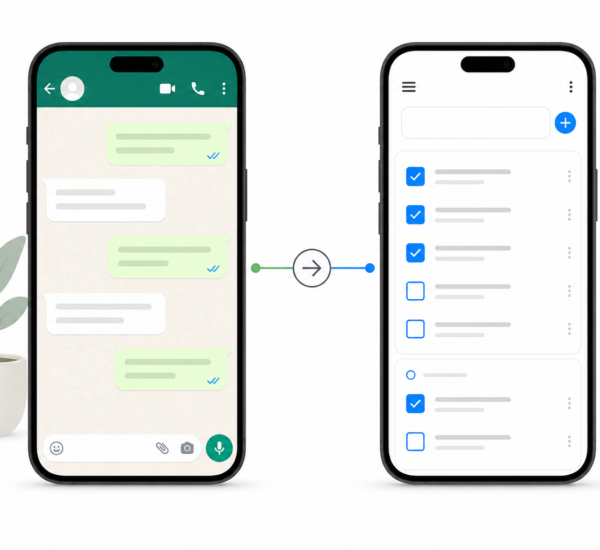
Write down everything. Every task, idea, commitment, and “I should really…” that crosses your mind goes into an inbox. This could be a notebook, an app, a voice memo, or any combination. The only rule is that you actually capture it rather than trusting your memory.
Most people already do some version of capture. The problem is that their captures are scattered across sticky notes, email, a notes app, and three different notebooks. GTD asks you to consolidate everything into as few inboxes as possible.
Step 2: Clarify
Once you have things captured, you process them. For each item, ask: what is this, and what’s the next action?
If an item takes less than two minutes to handle, do it immediately. If it’s not actionable, either trash it, file it as reference material, or add it to a “someday maybe” list. If it is actionable and takes longer than two minutes, define the very next physical action required and move it to your task list.
This is the step most people skip. They capture tasks like “deal with insurance” but never define what “deal with it” actually means. A clarified task looks like “call insurance company to dispute the charge from March 14.”
Step 3: Organize
Now you put things where they belong. Clarified tasks go onto project lists, context lists (calls to make, errands to run, things to do at a computer), or your calendar if they have a specific date and time.
A key GTD concept here is the distinction between projects and next actions. A project is any outcome that requires more than one step. “Plan the team offsite” is a project. “Email Marcus to book the venue” is a next action. Your task list should be full of next actions, not projects.
Step 4: Reflect
A GTD system only works if you trust it, and you’ll only trust it if you keep it current. Allen prescribes a weekly review: once a week, you clear your inboxes, review all your project lists, update your next actions, and make sure nothing has fallen through the cracks.
The weekly review is what separates people who actually use GTD from people who set it up and abandon it after two weeks. You can read more about how to run one in Any.do’s weekly review guide.
Step 5: Engage
This is the step everyone forgets to mention: actually doing the work. With a clear, trusted system, choosing what to work on next becomes much easier. You look at your context list for where you are and pick the highest-priority next action available.
No more staring at a long list of vague tasks wondering where to start. You already know what the next step is for everything.
How to Set Up GTD in Any.do
Any.do is well suited to GTD because it handles the capture-to-action workflow cleanly across all your devices. Here’s a practical setup:
Your inbox: Use the default Any.do inbox as your capture bucket. Anything that comes to mind goes here first, unprocessed. The widget on your phone home screen makes this fast.
Projects as boards: Create a board for each active project. Inside each board, the tasks are your next actions for that project.
Context lists: Create lists for recurring contexts: “Calls,” “Errands,” “Waiting For,” and “Someday Maybe.” Use color tags to make these visually distinct.
Reminders: Use Any.do’s time-based and location-based reminders for tasks that need to happen at a specific time or place.
The weekly review: Block 30 minutes every Friday or Sunday. Go through your inbox, process everything to the right list, and review all your boards. Any.do’s daily planner view helps you see what’s on your plate for the week ahead.
If you want to combine GTD with a prioritization framework, the Warren Buffett 5/25 Rule pairs well with GTD’s “someday maybe” concept for deciding which projects deserve your attention.
The Weekly Review: Don’t Skip It
Without a weekly review, your inboxes fill up, your project lists go stale, and you stop trusting the system. When you stop trusting it, you start keeping things in your head again. Within a month you’re back to square one.
The weekly review doesn’t have to be long. A thorough one takes 20 to 30 minutes. The goal is to leave it feeling like your system is complete and current, with nothing lurking in an inbox somewhere.
Common GTD Mistakes to Avoid
Vague next actions. “Work on presentation” is not a next action. “Draft the opening slide of the Q3 presentation” is. If a task makes you hesitate before starting, it’s probably not specific enough.
Too many inboxes. If you’re capturing to seven different places, the clarify step becomes overwhelming. Aim for two or three capture points maximum.
Skipping the weekly review. Worth repeating. The weekly review is not optional.
Treating GTD as all-or-nothing. Start with capture and clarify. Add the weekly review once those feel natural. Build from there.
Getting Started
Start small. This week, do just one thing: whenever a task, idea, or commitment crosses your mind, write it down immediately instead of trusting your memory. Do this for seven days.
Then spend 20 minutes processing everything you captured. Define the next action for each item. Move things to the right lists. That’s GTD in practice.
Try Any.do free and use it as your GTD system from day one. It handles capture, organization, and reminders across every device with no setup required. You can also explore how setting short and long-term goals fits alongside a GTD practice to keep your projects aligned with what actually matters.
Your brain will thank you.