
Why Task Management for Executives Is Different
Task management for executives is not the same problem as task management for everyone else. Most knowledge workers manage a defined scope of work inside a clear organizational context. Executives manage a role where the scope is never fully defined, the boundaries are permeable by design, and the volume of legitimate demands exceeds what any single person could address. A product manager has a backlog. A director of sales has a pipeline. An executive has a portfolio of responsibilities that spans strategy, people, operations, external relationships, and the ongoing work of making decisions that no one else in the organization is positioned to make.
The executive productivity challenge is also a visibility challenge. When you are operating at the intersection of board expectations, team needs, customer relationships, and competitive pressures, the task list becomes genuinely complex to manage. Items arrive from every direction, with every level of urgency, and every one of them belongs to someone who believes it deserves priority attention. Without a system that can hold all of it and help you triage it consistently, the day fills from the loudest demands rather than the most important ones.
This guide is about building the task management system that matches the actual complexity of an executive role: one that separates strategic work from operational noise, protects the time needed for high-leverage activity, and keeps delegation visible so that nothing critical falls through the gaps between your team’s execution and your accountability for it.
The Core Problem: Urgency Versus Importance at Executive Scale
The gap between urgent and important is a well-documented productivity challenge for knowledge workers at every level. For executives, the gap is wider and the stakes are higher. An escalated customer complaint is urgent. A competitor’s product announcement demands a response. A board member’s question requires a thoughtful reply before the next meeting. These are all legitimate and real. They are also, in most cases, not the most important work the executive needs to do this week.
The most important work, almost always, is the work that moves the organization forward on its strategic priorities: the direction-setting, the culture-shaping, the capability-building, the relationship-investing that only the person at the top is positioned to do. This work is rarely urgent. It does not escalate itself. It does not arrive with a deadline attached. It simply does not happen if the executive’s time and attention are fully consumed by responding to urgent demands that could be handled by others or deferred entirely.
The Eisenhower Matrix is the conceptual framework that maps this tension precisely: work that is both urgent and important requires the executive’s immediate attention; work that is important but not urgent is where the highest-leverage leadership activity lives; work that is urgent but not important is the category that should be delegated aggressively; and work that is neither urgent nor important should be eliminated. The matrix is simple. The discipline of applying it consistently, in the face of a day that presents most things as both urgent and important, is where the executive task management system does its real work.
What Belongs on an Executive’s Task List
Before building the system, it helps to be clear about what kinds of work an executive task list should actually hold. Three categories belong there: strategic work that only the executive can drive, ownership tasks that the executive is accountable for even when others execute them, and commitments made to people inside and outside the organization.
Strategic work only you can drive
This is the category most at risk in an executive’s task list. Strategic decisions, direction-setting conversations, investor and board relationships, senior talent development, and the thinking work that shapes how the organization moves forward: none of these arrives with an urgent deadline, none of them is tracked in a project management tool, and all of them accumulate delay when operational demands dominate the schedule. They belong on the task list explicitly, with due dates, because if they are not given deliberate scheduling, they do not happen.
In Any.do, a dedicated list for strategic work keeps these tasks visible alongside everything else. The list holds items like: “Draft the strategic narrative for the Q4 board presentation,” “Schedule a skip-level with the engineering team,” “Think through the build/buy/partner decision on the data infrastructure question.” These tasks get explicit dates even when there is no hard external deadline, because the date is what makes them real commitments rather than perpetual intentions.
Delegation and accountability tracking
An executive’s task list necessarily includes work that other people are doing. Not the execution, but the accountability: the awareness that a deliverable is in flight, the reminder to follow up when it is due, the note to check in if it has gone quiet. Delegation without tracking is abdication. Managing the full scope of accountability requires a place to hold the awareness of what has been delegated, to whom, and when a check-in is warranted.
A Delegated list in Any.do holds one task per item that has been handed off: “Follow up with [name] on the market analysis — due Friday,” “Check status of the partnership proposal with [team] — expected end of week.” When the delegated item completes or the deadline passes, the task is closed. When it goes quiet, the task surfaces as a prompt to check in. This is not micromanagement. It is accountability infrastructure.
Commitments made in motion
Executives make commitments constantly: in meetings, in hallway conversations, in reply-all emails, in investor calls, in board sessions. “I’ll get back to you on that.” “Let me send you the framework we use.” “I’ll make an introduction by next week.” These commitments are made in the flow of a conversation, with good intentions, and forgotten as easily as they were made because the executive’s attention has already moved to the next conversation.
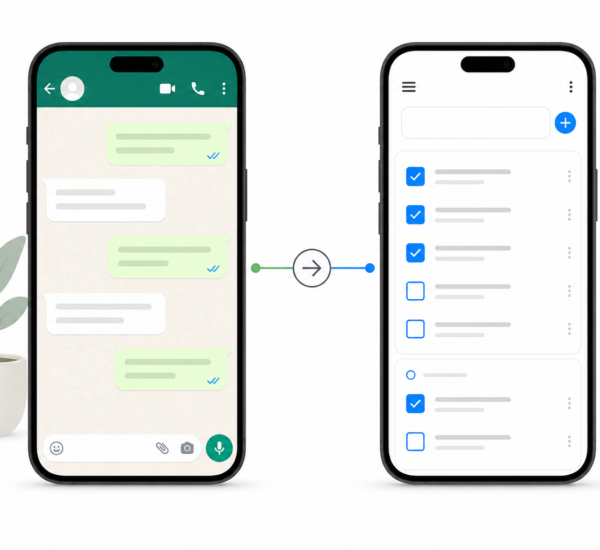
The discipline that prevents this is immediate capture. Every commitment made in a conversation belongs in Any.do within five minutes of the meeting ending, before the context has shifted and the detail has blurred. The thirty-second capture cost is trivial compared to the relationship cost of a missed follow-through, and the compounding effect of a reputation for not following up on what was promised.
Protecting Strategic Time in an Executive’s Calendar
The most common task management failure at the executive level is not missing a task. It is never creating the conditions to do the most important work. When every hour of a working week is consumed by back-to-back meetings, reactive emails, and operational escalations, the strategic work that has been captured on the task list never gets done. It accumulates. It rolls forward. It becomes a visible record of intentions that the schedule has not made space for.
Time-blocking the calendar is the structural solution to this problem. Strategic thinking work requires protected time blocks that are on the calendar before the meeting requests arrive. A two-hour block on Tuesday morning for strategic work is not a luxury. It is the only way to guarantee that the work that defines the executive’s highest leverage gets the hours it requires. Any.do’s calendar integration makes this visible: the daily planner view shows the time block alongside the day’s tasks, so the executive can see exactly when strategic work will be done, not just that it exists on a list somewhere.
Scheduling the most important priorities first, before filling the week with meetings and responses, is the discipline that prevents the week from arriving Friday with the strategic work untouched. The big rocks go on the calendar first. The meetings and operational tasks fill the remaining space.
The Daily Planning Practice for Executives
A daily planning session for an executive is a ten-minute investment with an outsized return. The session answers one question: given everything on my list and everything on my calendar today, what are the two or three things that only I can do, that actually matter, that will get my best attention?
Any.do’s daily planner view is built for this. It shows today’s tasks alongside the calendar, so the executive can see the relationship between what is scheduled and what is listed. A day with six hours of meetings and four priority tasks is a day that needs triage. A day with three hours of open blocks and two key deliverables is a day with capacity. The daily planner makes the actual shape of the day visible so that the planning session can be honest rather than aspirational.
The most important non-meeting task goes first, before the day’s reactive demands accumulate. For an executive, this is typically the strategic work that requires deep focus and clear thinking: the written communication that shapes direction, the analysis that informs a significant decision, the draft that becomes a board presentation. The morning’s first hours, before the inbox and the message threads have fully populated, are often the only time in a working day when that quality of thinking is available.
Managing Decision Debt
One of the most under-discussed drains on executive time and energy is accumulated decision debt: the backlog of decisions that have been raised by the team, added to the mental queue, and not yet resolved. Each unresolved decision consumes ongoing cognitive overhead as it re-surfaces in conversations, status updates, and the low-level awareness that it is waiting. A team that is waiting for a decision is a team whose progress is blocked.
Decision tasks belong on the executive task list like any other task, with an explicit deadline. “Decide on the pricing model for the new tier — by Wednesday so the product team can move.” “Resolve the vendor selection question — by end of week.” Naming decisions as tasks, with dates, removes them from the ambient mental queue and puts them on a schedule. The team knows when the decision is coming. The executive knows what decisions need to be made this week, rather than carrying the awareness indefinitely.
Any.do’s priority flags let executives mark decision tasks as high priority so they surface above the operational noise in the daily view. A decision that has been waiting for three days without a date attached is invisible in most task systems. Prioritized and dated, it becomes a visible commitment with a deadline.
Structuring Any.do for an Executive Role
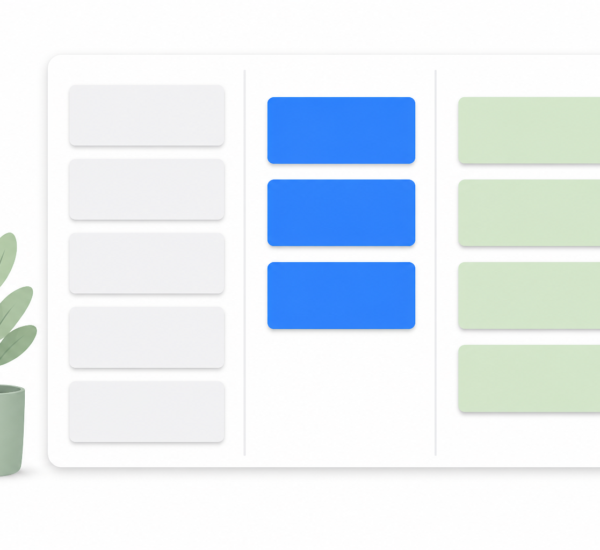
The list structure that works for most executives separates work by type rather than by project, because executive work does not fit neatly into projects:
- Strategic: Direction-setting, thinking work, board and investor relationships, long-horizon decisions
- Delegated: Follow-ups and accountability tracking for work in others’ hands
- Commitments: Follow-throughs promised in meetings, calls, and conversations
- Operational: Day-to-day decisions, approvals, reviews, and responses that require the executive’s direct involvement
The daily planner view surfaces today’s items from all four lists alongside the calendar, so the executive sees the full day’s shape in one view. The list structure prevents strategic work from being buried under operational tasks. It keeps delegation visible in its own category. And it ensures that commitments made in conversation have a home where they will surface at the right time rather than disappearing into the mental queue until a missed follow-through creates a relationship problem.
The System That Serves the Role
An executive’s time is the organization’s most constrained resource. The task management system that serves the role well is not the most powerful or the most feature-rich. It is the one that makes the most important work visible every day, protects the time that work requires, surfaces delegation commitments before they go quiet, and keeps the full scope of accountability from living only in memory.
If you want an executive productivity app that combines a clear daily planner view with calendar integration, fast capture from anywhere, and a simple list structure that keeps strategic and operational work separate, Any.do is free to get started. The daily planning view and calendar integration work immediately without the configuration overhead of a full project management platform, which means the system serves the role rather than the other way around.