
The Small Business Owner’s Task Management Problem
Task management for small business owners is different from task management for employees, and the difference is not just about volume. When you run a small business, you are simultaneously the strategist, the operator, the salesperson, the customer service representative, and in many cases the person doing the actual work. Your task list is not one job’s worth of work. It is the full stack of running a business, compressed into the hours you have available each day.
The specific challenge is holding two very different time horizons in the same system. Daily operations demand immediate attention: the client email that needs a response, the invoice that needs to go out, the supplier who needs to be called. Big-picture goals require sustained attention over weeks and months: the new service offering that needs development, the marketing that needs to happen consistently, the systems that need to be built. Both matter. Both compete for the same limited hours. A small business productivity app that handles one well but not the other is not solving the actual problem.
Why Most Task Systems Break Down for Small Business Owners
The most common failure mode is task systems that grow to reflect how busy you are rather than what actually matters. Over time, the list accumulates everything that could be done, rather than what should be done. Reactive tasks (responding, fixing, maintaining) dominate because they arrive with urgency. Proactive tasks (building, growing, improving) get deferred because they lack urgency, even when they carry significantly more long-term consequence.
A secondary failure mode is the separation of business tools from personal tools. Most small business owners blur the boundary between work and personal life significantly, which means a task system that only handles business tasks leaves personal commitments managed separately, and the two lists never produce a realistic picture of total available capacity. The day has only so many hours. A reliable system needs to account for all of them.
The Two-Layer Task Structure for Small Business Owners
The most effective task management small business approach separates work into two distinct layers with different planning rhythms.
Layer 1: Weekly operations
Operations tasks are the recurring, deadline-driven work of running the business. Client deliverables, administrative obligations, supplier communications, payroll, invoicing, team management, and customer service all belong here. These tasks have due dates that are often externally imposed. Missing them has immediate consequences.
Operations tasks benefit from a structured weekly review. Every Monday morning, or at the end of the prior week, review all operations tasks for the coming week. Confirm due dates. Assign tasks to specific days. Flag anything that is at risk of falling behind. The goal is to start every week knowing exactly what the operational demands are and when they need to happen.
Layer 2: Growth projects
Growth tasks are the proactive work that moves the business forward: developing a new product, building a marketing system, improving an internal process, pursuing a new client relationship, or creating content. These tasks rarely have external deadlines. They are easy to defer indefinitely because the immediate consequence of deferring is invisible.
Growth tasks need protected time rather than due dates. A task with no deadline and no scheduled time will not happen regardless of how important it is. The solution is to treat growth work like an appointment: it gets a time block on the calendar, and that time block is as protected as a client meeting. Time blocking growth work on your calendar is what separates small business owners who make consistent progress on their business from those who are perpetually caught in the operational layer.
Building Your Small Business Task System in Any.do
The practical implementation of this two-layer approach in Any.do uses a list structure that separates operational and growth work while keeping everything visible in a single daily planning view.
Set up your lists
Create separate lists for the major areas of your business. A typical small business structure might include: Client Work (active client deliverables), Operations (admin, finance, supplier tasks), Sales and Business Development, Marketing, and a personal list for non-business commitments. Growth projects can each get their own list, or they can all live in a single Projects list with subtasks.
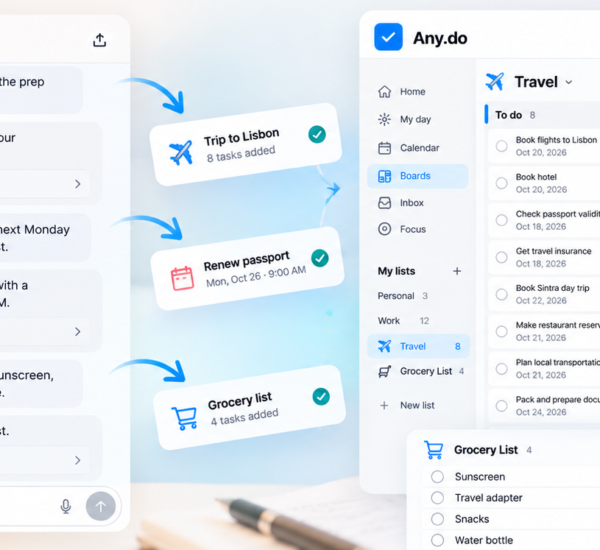
The daily planner view in Any.do shows tasks from all lists alongside your calendar, which means you always have a unified view of everything due today without having to check each list separately. This cross-list daily view is what makes a multi-list structure practical rather than fragmented.
Date every task in the operations layer
Every task in your operational layer should have a due date. Not a vague “this week” date, but a specific day. This is what makes it possible to look at your daily view and see a realistic picture of what must happen today versus what can wait. An undated operations task is invisible until it becomes urgent, which is how things get missed. Dating every task is the simplest way to prevent the operations layer from having surprises.
Schedule growth work as calendar blocks
For each active growth project, create a recurring calendar block of at least two hours per week. This block is protected time: no client calls, no admin, no email. Growth work only. The corresponding Any.do tasks for the project get due dates that align with your scheduled work blocks rather than external deadlines.
When the Any.do daily planner shows your calendar and tasks together, you can see immediately whether your growth work is actually scheduled this week or just on the list. A growth task on the list without a corresponding time block is a wish. A growth task with a two-hour block on Tuesday morning is a plan.
Managing Client Work Without Letting It Consume Everything
For most small business owners, client work generates the revenue that makes everything else possible, and it also generates the urgency that crowds out everything else. Client requests arrive with implicit or explicit deadlines. They feel important because they involve real people who are waiting. The danger is that client work expands to fill all available time, leaving no room for the growth work that would make the business less dependent on constantly chasing individual client tasks.
The structural fix is a daily time boundary for client work. Decide how many hours per day are available for active client delivery, and protect the remaining hours for growth work, business development, and operations. When a new client request arrives, it gets a due date that fits within the available client work time, not a promise to fit it in whenever possible.
Shared Any.do lists are useful for client-facing task coordination. Sharing a project list with a client creates a transparent view of what is in progress and what is coming, which reduces the check-in messages and status calls that consume time without producing work. Shared task management works as well for client coordination as it does for internal team coordination.
The Weekly Review: The Most Important 30 Minutes in Your Business Week
The weekly review is where the two-layer task system comes together. Once a week, typically on Friday afternoon or Monday morning, spend thirty minutes reviewing the full business task picture:
- What operations tasks are due this week? Are they assigned to specific days?
- What growth project work is scheduled this week? Do the calendar blocks exist?
- What carried over from last week that still needs to happen?
- What new commitments came in during the week that need to be added and dated?
- Is the balance between operations and growth work sustainable, or is one layer consistently crowding out the other?
The weekly review is also where you make the explicit choice to protect or defer growth work. If this week is operationally heavy, you may need to move a growth task to next week. Making that choice explicitly during the review, rather than having growth work simply not happen because no time was available, keeps the long-term picture visible and prevents perpetual deferral from becoming the default.
Separating Thinking From Doing
One of the most common small business productivity problems is mixing strategic thinking with tactical execution in the same work sessions. When you sit down to work on a growth project, you make faster progress if the thinking about what to do has already happened in a prior session and the current session is about executing a clear next step.
Any.do’s task notes field supports this separation. When you finish a work session on a project, write the next specific action in the task note before closing. “Next: draft the three-paragraph introduction for the service page” is more useful than a task titled “work on website” with no note. The note bridges the thinking-to-doing gap, so the next session can start executing rather than planning. Ending each work session with a clear next action note is a small habit that compounds significantly over weeks of consistent work on a growth project.
Start With the System You Will Actually Use
The best task management small business system is the one that gets used consistently, not the most sophisticated one available. If you are currently managing business tasks through email, a whiteboard, and memory, starting with a simple Any.do structure of three or four lists with due dates on every task is a substantial improvement that does not require a major process overhaul.
Build from there. Add the weekly review after the basic list structure is a habit. Add calendar integration and time blocking once you are consistently using due dates. Add growth project tracking once operations are reliably managed.
If you want a small business productivity app that handles both the daily operational layer and the growth project layer in a single system with calendar integration and shared list support, Any.do is free to get started. The daily planner view, task priorities, and calendar sync give you a complete picture of what the business needs today and what the next month needs to look like.