TickTick vs Any.do: Why This Comparison Keeps Coming Up
The TickTick vs Any.do comparison is one of the most common questions among people looking for a serious personal productivity app, and it is a genuinely close call. Both apps are well-designed, actively maintained, and capable of handling daily task management for most people. Neither is a clear winner on every dimension. What differs significantly is the philosophy behind each app and the specific situations where one outperforms the other. This comparison cuts through the feature lists to focus on those differences, so you can make a decision based on how you actually work.
What TickTick Does Well
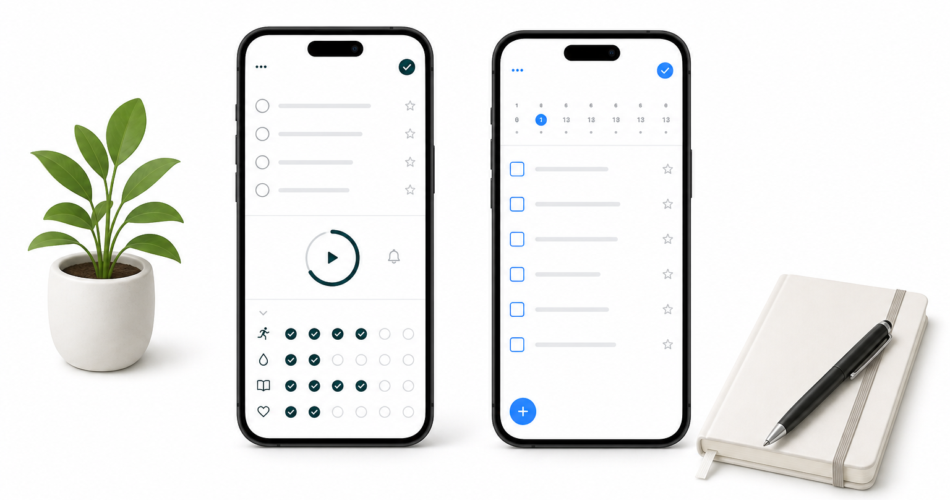
TickTick is a feature-rich task manager that has built an unusually complete free tier. Its standout differentiator is the combination of tools it packages together: a built-in calendar view, a Pomodoro timer, habit tracking, and a “Focus Statistics” dashboard, all available on the free plan. For a single app that covers task management, time tracking, and habit formation without a subscription, TickTick’s free tier is hard to beat.
The interface is clean and the mobile apps are well-optimized. TickTick’s natural language input is strong, its recurring task options are flexible, and the Eisenhower Matrix view gives power users a built-in prioritization framework. For people who want a single app that handles tasks, habits, and time in one place and are willing to invest time in learning the features, TickTick is a serious option.
TickTick’s core strengths:
- Built-in Pomodoro timer and focus mode (free)
- Habit tracking integrated alongside tasks (free)
- Calendar view with task display (free tier, no external sync)
- Multiple task views including Eisenhower Matrix
- Strong natural language input
- Available on all major platforms
What Any.do Does Well
Any.do’s core bet is a different one: instead of packing in every possible feature, it focuses on making the daily planning experience as smooth and unified as possible. The central feature is a task-and-calendar view that shows your to-dos and your actual schedule together, so you can plan your day against your real available time rather than against an abstract list. Combined with AI-assisted daily planning suggestions, this makes Any.do feel less like a task manager and more like a daily planning layer that sits on top of your entire schedule.
Any.do also covers use cases that TickTick does not. Shared lists, real-time collaboration, family task management, and team coordination are all first-class features. If your task management needs extend beyond your own personal list to include a household, a partner, or a small team, Any.do handles all of it in the same app.
Any.do’s core strengths:
- Unified task and calendar view with external calendar sync (Google, Outlook)
- AI-powered daily planning suggestions
- Shared lists and real-time collaboration for teams and families
- Genuinely usable free tier with calendar integration
- Simpler onboarding with no feature overload
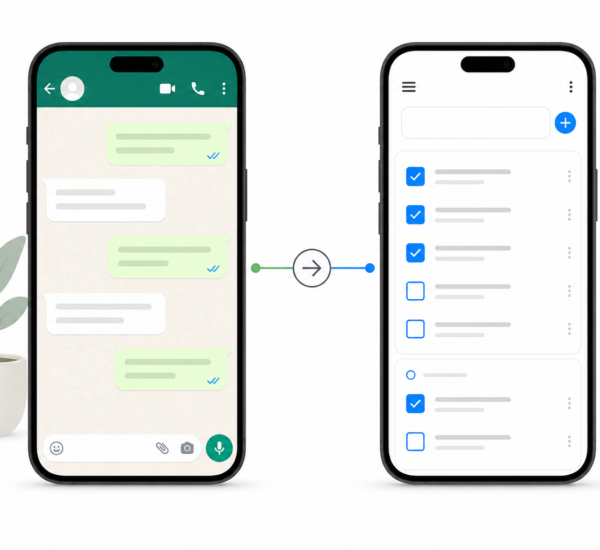
- WhatsApp integration for task creation via chat
TickTick vs Any.do: Head-to-Head
| Feature | TickTick | Any.do |
|---|---|---|
| Free tier quality | Excellent (habits, Pomodoro, calendar view) | Good (unlimited tasks, basic calendar sync) |
| External calendar sync | Paid only | Free (basic), full on premium |
| Habit tracking | Yes (built-in, free) | No |
| Pomodoro timer | Yes (built-in, free) | No (use separate timer) |
| Shared lists / collaboration | Limited (2 lists on free) | Yes, full team support |
| Family use | Limited | Yes (dedicated family lists) |
| AI daily planning | No | Yes (premium) |
| Natural language input | Strong | Strong |
| Price (paid) | ~$3.99/month | $5–$8/month |
| WhatsApp integration | No | Yes |
The Key Difference: Calendar Sync
The single most important difference between TickTick and Any.do for most people is calendar integration. TickTick’s free tier includes a built-in calendar view that shows your tasks on a calendar layout, but it does not sync with Google Calendar, Outlook, or Apple Calendar on the free plan. You see your tasks on a calendar, but not your actual meetings and appointments. The unified view of tasks plus real calendar events is a paid feature.
Any.do’s free tier includes basic Google Calendar sync, meaning your real calendar events appear in the same view as your tasks. For users who want to plan their day against their actual schedule rather than just a task calendar, this is the more useful starting point even before paying anything.
The case for unified task and calendar planning comes down to one thing: you cannot plan a realistic day from a task list alone. When you can see that Tuesday has four hours of meetings, you plan four tasks. When you cannot see that, you add ten tasks and wonder why nothing gets done. Any.do solves this on the free tier. TickTick solves it only on the paid tier.
Where TickTick Wins Clearly
If you want habit tracking and a Pomodoro timer built into the same app as your tasks, TickTick is the better choice and it delivers both for free. Any.do does not offer either feature. Using TickTick for focused work sessions and habit monitoring alongside tasks without paying is a genuine advantage for users who want those capabilities.
TickTick is also cheaper at the paid tier. At around $3.99 per month, it costs less than half of Any.do’s premium plan. If you are a solo user who needs the paid calendar sync and nothing else, TickTick’s lower price is a real factor.
Where Any.do Wins Clearly
For shared lists and collaboration, Any.do is significantly better. TickTick’s free tier limits collaboration to two lists. Any.do supports full team and family task management on a plan that costs less than a cup of coffee per month. If you manage tasks with a partner, a family, or a small team, this difference is not marginal. It changes whether the app works for your use case at all.
For calendar integration on the free tier, Any.do wins. For AI-assisted planning, Any.do wins. For WhatsApp task creation, Any.do wins. For people who want the simplest path from “open app” to “have a plan for the day,” Any.do’s less cluttered interface makes that path shorter.
Shared task management in Any.do covers how teams use shared lists in practice. Time blocking with calendar integration shows how the unified view changes daily planning once your real schedule is visible alongside your tasks.
Who Should Choose TickTick
- Solo users who want habit tracking and a Pomodoro timer in one app at no cost
- Budget-conscious users who need paid calendar sync but want the lowest possible price
- Power users who want multiple task views including Eisenhower Matrix
- People who do not need to share tasks with anyone else
Who Should Choose Any.do
- Anyone who wants real calendar sync (not just a task calendar) on the free tier
- People who manage shared tasks with a partner, family, or small team
- Users who want AI-assisted daily planning
- Anyone who prefers a simpler interface over a feature-packed one
- People who use WhatsApp and want to create tasks directly from chat
The Bottom Line on TickTick vs Any.do
TickTick is the right choice for solo users who want the most features at the lowest price and do not need external calendar sync until they are ready to pay. Any.do is the right choice for most other people, especially anyone who shares tasks with others or wants their daily planner to show their real schedule rather than just a list of tasks.
The “clear winner for most people” in the title is Any.do, primarily because calendar integration with real events matters for realistic daily planning, and Any.do delivers it on the free tier. But TickTick earns its reputation, and if the habit tracking and Pomodoro timer are features you would actually use daily, the comparison is genuinely close.
If you want to test Any.do’s calendar integration and daily planning view before deciding, start free here. The free tier covers everything you need to see whether the unified task and calendar approach changes how you plan your day.