What Is a Work Shutdown Ritual?
A work shutdown ritual is a short, repeatable end-of-day routine that deliberately closes out your workday. It is the practice of reviewing what you completed, capturing anything unfinished, planning the next day’s priorities, and performing a clear signal that work is over for the day. Done consistently, the shutdown ritual solves one of the most common problems in modern knowledge work: the inability to actually stop thinking about work after the workday ends.
The concept was popularized by computer scientist and author Cal Newport, who described his own shutdown ritual in his book “Deep Work.” The logic behind the end of day routine is grounded in psychology. Open loops, which are tasks and commitments that have been started but not completed or consciously deferred, keep the brain in a low-level processing state long after you have closed your laptop. The shutdown ritual closes those loops deliberately so the brain can disengage.
Why Your Brain Cannot Switch Off Without a Shutdown Ritual
The Zeigarnik effect describes the brain’s tendency to keep incomplete tasks in active memory. When you end the workday mid-task or without reviewing what is unfinished, your subconscious continues working on those open items. You think about the email you forgot to send during dinner. You remember the deadline you need to reschedule at 11pm. You lie awake running through tomorrow’s meeting agenda.
This is not a discipline failure. It is a feature of how memory works. The brain holds onto unresolved items because they may need attention. The way to release them is to give the brain a clear signal that they have been registered, deferred, or handled. That signal is the shutdown ritual. Once you have reviewed your task list, written tomorrow’s plan, and closed your workspace, the brain accepts that these items are accounted for and stops cycling through them.
Research on this supports what many people already know intuitively: planning tomorrow’s tasks at the end of today reduces work-related intrusive thoughts in the evening more effectively than simply trying to relax or disconnect. The plan functions as a commitment device that tells the brain “this is handled.”
The Five Steps of an Effective Shutdown Ritual
- Review what you completed today. Open Any.do and scan your task list for the day. Note what got done. This is not a performance review. It is a moment of honest accounting that closes the mental loop on completed work. Checking tasks off during the day is good, but a brief end-of-day review of what actually happened provides the cognitive closure that stopping mid-task does not.
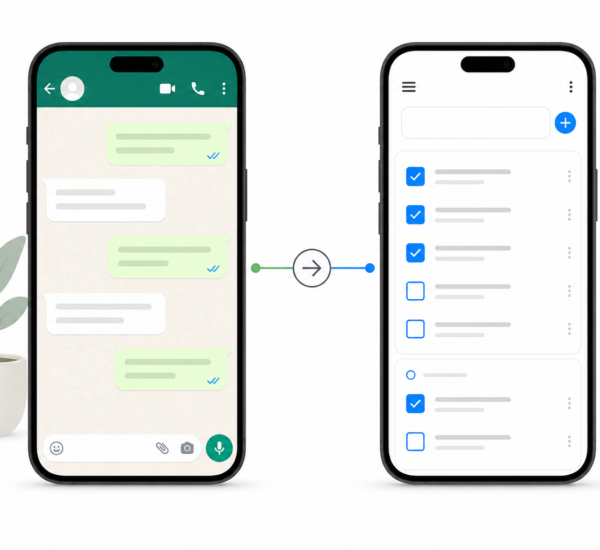
- Capture everything that is still open. Anything unfinished, anything that came up during the day that has not been added to your list, and anything you were reminded of at 4pm that did not make it into your system. Get it all into Any.do before closing. An empty head requires a full task list. Every item that is in the app rather than in your head is one fewer thing your brain needs to hold onto after work ends.
- Review tomorrow’s calendar. Open the Any.do daily planner and look at tomorrow. What meetings are scheduled? How much free time do you actually have? This prevents the common problem of planning an ambitious task list for a day that is mostly booked, and it gives you a realistic picture of tomorrow before it starts. Seeing your tasks and calendar together is what makes this step useful rather than theoretical.
- Choose tomorrow’s three most important tasks. From everything in your task list, identify the two or three items that most need to happen tomorrow. Mark them as priorities. These become your first focus when you sit down in the morning. Deciding your priorities the night before means tomorrow’s morning starts with work rather than with a decision about what to work on. The decision has already been made.
- Say “shutdown complete” out loud. This is the signal. Newport’s version of the ritual ends with a spoken phrase — “shutdown complete” — that marks the clear transition from work mode to off mode. It sounds ritualistic because it is. The verbal signal works precisely because it is slightly unusual. It marks the moment in a way that a passive action like closing a laptop does not. After the phrase, work is over and you do not engage with work-related thinking until tomorrow.
How Long the Shutdown Ritual Takes
A complete shutdown ritual takes between ten and twenty minutes once it becomes habitual. The first few times, it may take longer as you process a backlog of uncaptured items or set up your task system. After a week of consistent practice, the review and planning steps become faster because the system stays current throughout the day.
The ten to twenty minutes invested at the end of the day pays back more than that in recovered evening attention, reduced stress, and a faster start the following morning. The alternative, which is ending work informally and spending the evening with background work anxiety, costs more time and more cognitive energy than the ritual takes.
Adapting the Shutdown Ritual to Remote Work
For people who work from home, the shutdown ritual matters more, not less. When your office and your living space are the same room, there is no physical transition that signals the end of the workday. You can be “at work” and “at home” simultaneously, which makes it easy for work hours to expand indefinitely into evenings and weekends.
The shutdown ritual creates the transition that physical commuters get automatically. Completing the review and saying “shutdown complete” is the equivalent of walking out of the office and locking the door. After it, you are home. The work is closed. The evening is yours.
Pairing the shutdown ritual with a physical cue strengthens the transition further. Closing the laptop and putting it in a drawer, changing clothes after the ritual, or leaving the workspace entirely all add a physical layer to the cognitive signal. Blocking your shutdown ritual as a calendar event at a consistent time each day also helps by creating a clear, visible end to the workday rather than letting it drift.
What to Do When the Shutdown Ritual Gets Interrupted
The most common failure mode is the interrupted shutdown. You start the review, get pulled into a task, spend forty minutes on it, and end the day without completing the ritual. The next morning you wake up without a clear plan and the cycle continues.
The fix is treating the shutdown ritual as indivisible. If something genuinely urgent comes up during the ritual, note it in your task list and return to the ritual before closing. The ritual is not complete until the five steps are done and the signal phrase has been said. A five-minute interruption is fine. Abandoning the ritual entirely to keep working is what breaks the system.
It also helps to start the ritual fifteen minutes before you actually want to stop work. Building in a small buffer means that even if the review surfaces one more item that needs handling, you can address it and still finish the ritual at the intended time.
The Morning Payoff
The real evidence that the shutdown ritual is working shows up the next morning. Instead of spending the first twenty minutes of the day reconstructing what needs to happen, you open Any.do and your three priorities are already there, chosen yesterday when you had context and weren’t yet mentally depleted. Your calendar shows what the day looks like. Your task list is current. You start work rather than starting by getting oriented.
The shutdown ritual and the morning review are two halves of the same system. The shutdown creates the plan. The morning consults it. Together they make each workday feel intentional rather than reactive, and they create the boundary that makes evenings feel like genuine recovery rather than interrupted work.
Start Tonight
The shutdown ritual is one of the easiest productivity habits to start because it requires no new tools, no significant time investment, and no changes to how you work during the day. It only requires ten minutes at the end of the day and a willingness to actually stop when it is done.
If you want the task management layer to make the review fast and the planning clear, Any.do is free to set up. The daily planner view shows your calendar and your tasks together, which makes the shutdown review and the next-day planning steps take five minutes rather than fifteen. Start tonight and see how tomorrow morning feels different.