Sunsama vs Any.do: Two Different Bets on How Planning Should Work
The Sunsama vs Any.do comparison comes up often among knowledge workers looking for a serious daily planning tool, and for good reason: both apps center on the same problem. Your task list, your calendar, and your actual day need to connect. But Sunsama and Any.do make fundamentally different bets on how that connection should happen, and the right choice depends heavily on how you want to work. This guide compares both tools honestly so you can pick the one that fits your actual workflow rather than an idealized version of it.
What Sunsama Does
Sunsama is a structured daily planner built around a deliberate morning ritual. Each day, you open Sunsama and spend 10 to 20 minutes planning: pulling tasks from connected tools (Asana, Jira, Notion, GitHub, Gmail, and others), time-estimating each one, and setting a realistic agenda for the day. At the end of the day, Sunsama walks you through a shutdown ritual where you review what you completed and carry forward anything unfinished.
The design philosophy is intentionality over speed. Sunsama wants you to slow down, think carefully about what you are committing to, and make the plan before you start. Weekly summaries show how your time actually broke down against your intentions, which appeals to people who want data on how they spend their working hours.
Sunsama’s core strengths:
- Structured morning and evening planning rituals built into the app
- Deep integrations with project management tools (Asana, Jira, Linear, GitHub, Notion, Todoist, and others)
- Time estimation on tasks and time-tracking against those estimates
- Weekly reflection and time-spent summaries
- Clean calendar + task unified view on desktop
What Any.do Does
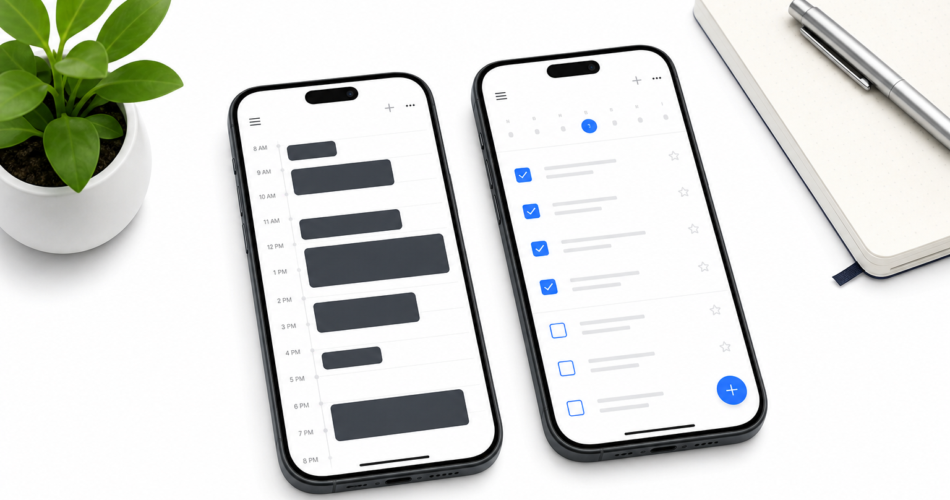
Any.do is a task manager and daily planner designed to be fast, flexible, and genuinely usable across every part of your life. Its daily planning view combines your tasks and calendar into a single view, lets you drag tasks onto calendar slots to time-block your day, and uses AI suggestions to help you prioritize. Unlike Sunsama, Any.do is built for both personal and team use, with shared lists, family lists, and real-time collaboration available.
Any.do’s design philosophy is simplicity at scale. It should take seconds to capture a task on mobile, minutes to plan your day, and the system should work whether you are planning a work project, a family grocery run, or a team sprint. The unified task and calendar view is the core of the daily planning experience, and it works without requiring a 15-minute morning ritual before you can start your day.
Any.do’s core strengths:
- Full iOS and Android mobile apps (Sunsama has no true mobile app)
- Free tier that covers unlimited tasks, lists, and basic calendar integration
- Shared lists and real-time collaboration for teams and families
- AI-powered daily planning suggestions and natural language task entry
- Simpler onboarding with no required daily ritual
- Lower price: free tier available, premium at $5–$8/month vs Sunsama’s $16–$20/month
Sunsama vs Any.do: Head-to-Head Comparison
| Feature | Sunsama | Any.do |
|---|---|---|
| Mobile app | No (web + desktop only) | Yes (iOS + Android) |
| Free tier | No (30-day trial only) | Yes (unlimited tasks) |
| Price (paid) | $16–$20/month | $5–$8/month |
| Calendar integration | Yes | Yes |
| Project tool integrations | Asana, Jira, Notion, GitHub, etc. | Google, Outlook, Slack, Zapier |
| Team/shared lists | No (individual only) | Yes |
| Family use | No | Yes |
| Morning planning ritual | Built-in, structured | Optional, flexible |
| Time tracking | Yes (built-in) | No |
| AI features | Limited | Yes (daily plan, suggestions) |
| Weekly reflection | Yes (built-in) | No |
Where Sunsama Has a Real Edge
Sunsama is genuinely better than Any.do in specific situations. If you work primarily from a laptop and want a structured ritual that forces you to plan your day carefully before starting, Sunsama’s morning routine workflow is excellent. It removes the decision-making from planning by turning it into a repeatable process, and the time estimation feature gives you a realistic picture of whether your day is actually achievable before you commit to it.
For people who use multiple project management tools professionally, pulling tasks from Asana and Jira and Notion into a single daily view without rebuilding them manually is a meaningful time saver. Sunsama’s integrations here are deeper than Any.do’s, and if your work life runs through those tools, that matters.
The weekly summaries are also a differentiator. If you want data on where your hours actually go, Sunsama gives you that in a format that is genuinely useful for retrospectives and planning.
Where Any.do Has a Real Edge
Any.do wins on accessibility and flexibility. The mobile apps are the most obvious gap: Sunsama has no real mobile app, which means capturing tasks away from your desk, reviewing your list on the way to a meeting, or managing personal errands requires a workaround. For most people, the majority of task capture happens on a phone. Any.do handles this natively; Sunsama does not.
The free tier is also a significant difference. Sunsama offers a 30-day trial and then requires a paid subscription. Any.do’s free tier covers everything a solo user needs for daily task management, including calendar integration. If you want to try a daily planner before committing money, Any.do is the practical starting point.
For team use, Any.do is the clear choice. Sunsama is built for individual planners; it has no shared lists or real-time collaboration features. Any.do’s shared task management works across personal lists, team projects, and family coordination in the same app. Shared task management in Any.do covers how teams use this in practice.
Price is also a real factor. At $16 to $20 per month, Sunsama costs two to four times what Any.do’s premium plan costs. For individuals who want a capable daily planner without a heavy subscription, the value comparison is difficult to ignore.
Who Should Choose Sunsama
Sunsama is a strong fit if you:
- Work primarily at a desktop or laptop and do not need mobile task capture
- Use Asana, Jira, Linear, or Notion professionally and want to pull tasks from those tools into a unified daily view
- Want a structured daily planning ritual built into your tool rather than something you improvise
- Value time tracking and weekly time-spent summaries
- Are comfortable paying $16 to $20 per month for a focused planning tool
Who Should Choose Any.do
Any.do is a better fit if you:
- Need a mobile app for task capture and review throughout the day
- Want to start free and upgrade only if needed
- Manage tasks across personal, professional, and family contexts in one place
- Work with a team or household that needs shared lists
- Prefer a flexible planning approach over a structured ritual
- Want AI-assisted prioritization without manual time estimation
The Sunsama Alternative for Most People
Sunsama is a well-designed tool for a specific type of knowledge worker: desktop-based, project-tool-heavy, and ritual-oriented. For that profile, it delivers. For most people, including anyone who needs mobile access, shares tasks with others, or does not want to pay $20/month for a planner, the Sunsama vs Any.do decision is straightforward.
Time blocking your day with Any.do’s unified calendar and task view gives you the same core benefit Sunsama provides, which is a realistic daily plan tied to your actual schedule, without the structured ritual requirement or the mobile limitation.
If you want to see how Any.do handles daily planning before committing to anything, the free tier covers the full daily planning experience. Set up takes a few minutes and the calendar integration works from day one.