Why Task Management for Remote Teams Is a Different Problem
Task management for remote teams is not the same problem as task management for co-located teams. In a shared office, alignment happens passively: you see your colleague working, you overhear the conversation, you ask a question while passing someone in the hallway. None of that exists in a remote environment. Every piece of coordination has to be intentional, and the cost of poor coordination falls directly on individual productivity and team velocity.
Remote team productivity depends on a task management system that does the job that proximity used to do automatically: making it clear who owns what, what the current status is, when things are due, and what is blocked. Without that system, teams end up in one of two failure modes. Either they over-communicate to compensate, which means too many meetings, too many check-ins, and too much context-switching for everyone. Or they under-communicate, and work drifts without visibility until a deadline makes the gap visible. The right system prevents both.
The Four Things Remote Task Management Has to Solve
Before looking at tools or tactics, it helps to name exactly what remote task management has to accomplish. There are four core problems:
- Visibility: Everyone needs to see what is in progress, what is waiting, and what has been completed without having to ask. In a co-located team, you get this passively. In a remote team, it has to be built into the system.
- Ownership: Every task needs a clear owner. Ambiguous ownership is the most common reason tasks fall through the cracks in remote teams. When two people each think the other is handling something, no one handles it.
- Priority: Team members working in different time zones, different contexts, and different workloads need a shared understanding of what matters most right now. Without visible priority, people optimize locally rather than for the team.
- Async handoffs: Remote teams hand work off asynchronously. The task management system has to support the kind of handoff that lets someone pick up a task hours later, in a different time zone, without losing context.
Shared Lists as the Foundation of Remote Team Productivity
The most practical foundation for remote team task management is a shared task list that every team member can see and update in real time. Not a project management platform that requires training and onboarding, and not a spreadsheet that becomes stale the moment someone forgets to update it. A shared task list with clear ownership, due dates, and status that everyone can access and trust.
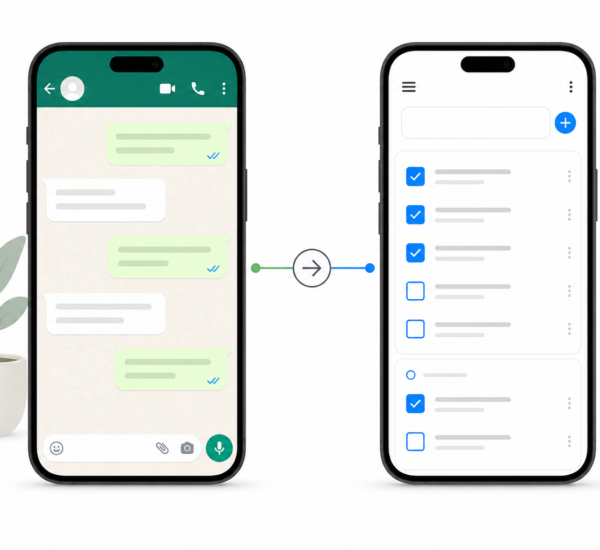
Any.do’s shared lists work directly at this level. A team creates a shared list for a project, a client, or a recurring workflow. Each task has an assignee and a due date. Everyone on the list can see the full state of the work at any time without requiring a meeting or a status message. When a task is completed, it is checked off and visible to the whole team. When a task is added or reassigned, it appears immediately in the shared view.
Shared task management in Any.do covers how teams set up shared lists and use them in practice. The core principle is that the task list replaces the status meeting. If the list is current and trusted, you do not need to ask what is in progress. You look at the list.
How to Structure Remote Team Tasks for Maximum Clarity
One owner per task, always
Remote task management breaks down most often around ownership ambiguity. The rule is simple and non-negotiable: every task has exactly one owner. That person is responsible for completing it or for explicitly reassigning it if circumstances change. A task with two owners has no owners. A task with no owner is a wish, not a commitment.
When setting up shared lists, create a team norm that every task created must be assigned before the meeting or conversation ends. If a task emerges from a Slack thread or a document comment, it does not exist until someone creates it in the task system with a name and a due date. The task system is the system of record. Everything else is noise.
Due dates on every task
An undated task in a remote team is invisible. No one knows when it needs to happen, so it is easy to deprioritize in favor of tasks with concrete deadlines. Every task should have a due date, even if that date is somewhat flexible. A due date makes the task real, makes it schedulable, and gives the team a shared expectation to hold against.
Setting due dates as a prioritization tool is one of the most direct ways to reduce ambiguity in a remote team. When every task has a date, priority becomes visible. The things due this week are this week’s work. The things due next month can wait.
Notes for async context
In a co-located environment, a task title is often enough because you can ask a quick question to fill in the gaps. In a remote environment, task titles need to carry more context. The task notes field should answer: what does done look like? What are the inputs or dependencies? Is anything blocked, and if so, on what?
A task that reads “Update landing page copy” tells a remote team member nothing useful. A task that reads “Update landing page copy — new messaging doc from Lior in Notion. Final version due to design by Friday EOD. Check with Oren if the CTA button copy should change too” is actionable without a meeting.
Replacing Meetings With Async Task Communication
The most expensive remote team productivity problem is using meetings for work that should be handled asynchronously. Status meetings, check-ins, and standup calls exist to answer one question: what is the state of our work? If the task management system is current and visible, that question has already been answered. The meeting is overhead.
The practical shift is this: before scheduling a meeting, ask whether the task list already answers the question. If the shared list is up to date, current status is visible without a call. If the list is not up to date, the answer is not to schedule a meeting. It is to update the list and make it the expectation that the list is always current.
Async written updates in task notes replace a large portion of verbal check-ins. When a team member finishes a task, they add a brief note with relevant context for whoever picks up the next step. When they are blocked, they note what they are waiting on and who needs to unblock them. This creates a searchable record of work context that a meeting never produces.
Task Management Across Time Zones
For remote teams spread across time zones, task management has to work without real-time coordination. The system needs to function when your colleague is asleep. This makes a few practices non-negotiable:
- All handoffs in writing: When you pass work to someone in a different time zone, the task notes need to contain everything they need to start. They will pick it up in eight hours and you will be asleep. Write it as if you will not be available to answer questions, because you will not be.
- Blocked tasks need a clear path forward: Do not leave a task sitting as blocked without noting exactly what would unblock it and who can provide it. A blocked task with no path forward wastes the next person’s time figuring out what to do.
- Due dates in the context of the assignee’s day: When assigning a task with a specific due time, clarify whose time zone the deadline is in. “Due Friday” means different things to someone in Tel Aviv and someone in San Francisco.
Daily Planning for Individual Remote Workers
Remote team productivity is built from individual remote worker productivity, and the individual layer needs its own daily planning system. Each team member should start the day with a clear picture of what they own, what is due, and how that maps to their actual schedule.
The Any.do daily planner shows tasks and calendar events together, which makes it straightforward to plan a realistic day. A shared team list shows what the team owns. An individual’s personal tasks and calendar show what they can actually accomplish. Time blocking against a real calendar prevents the common remote worker trap of committing to a full task list on a day with four hours of meetings.
A brief end-of-day review, updating task statuses and noting progress before closing, keeps the shared list accurate for teammates in other time zones who will pick up work during the next eight hours. This is the remote team equivalent of leaving your desk tidy before going home. It costs five minutes and saves your colleagues significant time and confusion.
Getting the System Adopted Across the Team
The best task management system for remote teams is the one the whole team actually uses. A perfectly designed list that half the team ignores is worse than a simple list everyone updates. Getting team-wide adoption requires a few things:
- The system has to be easy to update. If adding a task or updating a status requires navigating multiple screens, people will skip it. Any.do’s shared lists work from mobile and desktop with fast, low-friction task creation and status updates.
- The team has to agree on what belongs in the system. Not every conversation or idea needs to become a task. Define together what types of work get tasks created and what stays in Slack or email. Consistent norms reduce the cognitive load of maintaining the system.
- Someone has to own the system’s health. In most teams, this is a team lead or project manager who does a weekly review of the shared list to close out stale tasks, clarify ownership on ambiguous items, and ensure due dates are accurate. The system does not maintain itself.
Start With One Shared List
The most common mistake remote teams make when trying to improve task management is trying to redesign everything at once. Start with one shared list for one project or one team’s current sprint. Get clear ownership and due dates on every task. Use the task notes field for async context. Run it for two weeks and see how many status meetings become unnecessary.
If your remote team is ready to move task coordination out of meetings and into a system that works across time zones, Any.do is free to set up. Shared lists, assignees, due dates, and a daily planner view that shows team tasks alongside individual calendars are all available on the free tier.