OmniFocus vs Any.do: A Different Kind of Comparison
The omnifocus vs any.do comparison is not the typical head-to-head between two apps doing the same thing. OmniFocus is one of the most powerful and sophisticated personal task management systems ever built, and it costs accordingly. Any.do is a daily planner and task manager built for the way most people actually want to manage their work, and it includes features that OmniFocus does not attempt. Understanding where each app excels, and where it falls short, is what makes this comparison useful rather than just a feature list exercise.
The omnifocus alternative question is usually asked by two kinds of people: OmniFocus users who wonder whether they are paying for complexity they do not use, and new users who have heard OmniFocus is the best and want to know if that is still true in 2026. The honest answer to both questions depends almost entirely on how you work and what you need from a task management system.
What OmniFocus Does Better Than Almost Anything
OmniFocus is the benchmark for GTD-style personal task management on Apple platforms. Its depth is genuine. Features that are built into the core of OmniFocus go far beyond what most task managers offer:
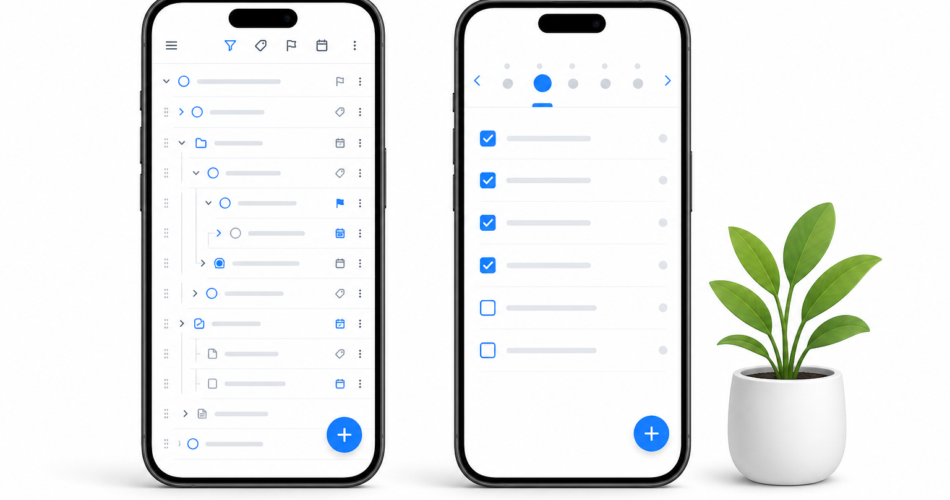
- Custom perspectives: Build any view of your task database using a flexible filter and display system. See only tasks in a specific context, at a specific location, with a specific tag, due in a specific window, or any combination thereof. The perspective builder is one of the most powerful task filtering systems available.
- Sequential and parallel projects: OmniFocus understands that some projects require tasks to be completed in order while others allow tasks to happen in any sequence. This distinction is built into the data model, so the app surfaces the right tasks at the right time rather than showing you the full project list regardless of dependencies.
- Defer dates: In addition to due dates, OmniFocus supports defer dates that hide a task entirely until a specified date. This keeps future tasks out of your current view until they are actually actionable.
- Review system: OmniFocus has a built-in weekly review workflow that prompts you to review each project on a configurable schedule, marking it as reviewed when done. This operationalizes the GTD weekly review in a way no other mainstream task manager does.
- Forecast view: The forecast view shows tasks and calendar events together by date, giving a timeline of what is coming without requiring a separate calendar app check.
For GTD practitioners and power users who want total control over how tasks are captured, organized, filtered, and reviewed, OmniFocus delivers an unmatched level of system depth.
What OmniFocus Does Not Do
OmniFocus is Apple-only. There is no Android app, no web app that is useful for daily task management, and no real Windows support. If any part of your workflow involves an Android phone, a Windows computer, or a browser-based work environment, OmniFocus either does not work at all or requires workarounds that undercut its value.
OmniFocus also has no meaningful collaboration or sharing features. It is a personal task manager, designed for one user managing their own system. There is no way to share a list with a partner, assign tasks to a team member, or create a shared project that multiple people update. If any part of your task management involves other people, OmniFocus requires a separate tool for that layer.
Calendar integration in OmniFocus is read-only through the forecast view. It shows your calendar events alongside tasks, but you cannot create calendar events from tasks, sync due dates bidirectionally with a calendar, or use Any.do-style unified planning where your task list and calendar work together as a single system.
And the price is significant. OmniFocus 4 on Mac costs $99.99 as a standard license. The subscription is $9.99 per month or $99.99 per year. On iOS, it is a separate purchase. For a solo productivity app without collaboration features, this is a meaningful spend.
What Any.do Does That OmniFocus Does Not
Any.do is built for a different use case. Where OmniFocus is optimized for the GTD power user who wants deep personal system control, Any.do is optimized for the daily planning experience across all platforms and device types. The features that Any.do has and OmniFocus does not include:
- Native calendar sync (Google, Outlook, Apple): Any.do shows your actual meetings and appointments alongside your tasks in the same view. This is not a read-only display. It is a live, bidirectional sync that makes daily planning against your real schedule possible. The case for unified task and calendar planning is most evident when you try to plan a realistic day without seeing your actual available time.
- Collaboration and shared lists: Any.do supports shared task lists with real-time updates for couples, families, and small teams. Assigning tasks to others, commenting, and tracking completion across a shared list is built in at the free tier.
- AI-powered daily planning: Any.do’s AI assistant suggests what to focus on, helps you plan your day, and surfaces tasks that should be prioritized based on your deadlines and available time.
- Cross-platform availability: Any.do works on iOS, Android, Mac, Windows, and the web. Your task list is available on every device you use, with a consistent interface and real-time sync.
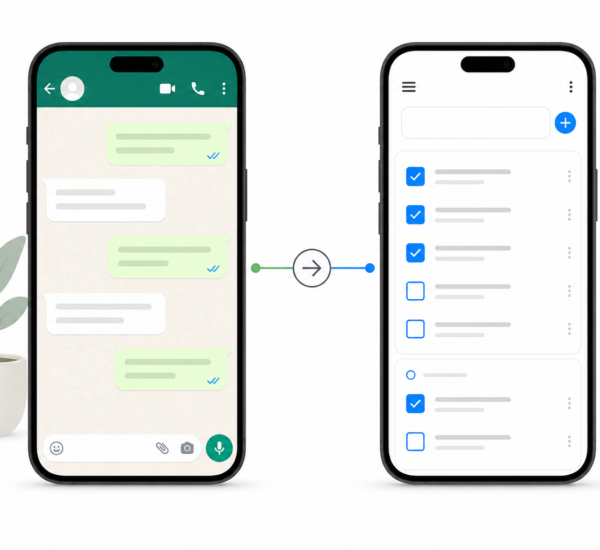
- WhatsApp integration: Create tasks directly from WhatsApp conversations, which is a practical capture method for people who receive work through messaging apps.
OmniFocus vs Any.do: Head-to-Head
| Feature | OmniFocus | Any.do |
|---|---|---|
| Platform support | Apple only (Mac, iPhone, iPad) | iOS, Android, Mac, Windows, Web |
| Calendar sync | Read-only forecast view | Native bidirectional sync |
| Collaboration / shared lists | No | Yes (free tier) |
| GTD custom perspectives | Yes (deep and flexible) | No |
| Sequential/parallel projects | Yes | No |
| Defer dates | Yes | No |
| Built-in weekly review | Yes | No |
| AI planning assistance | No | Yes (premium) |
| WhatsApp integration | No | Yes |
| Free tier | No (free trial only) | Yes (generous) |
| Price (paid) | $99.99/year or $9.99/month | $5–$8/month |
| Onboarding complexity | High | Low |
Is the OmniFocus Premium Price Worth It in 2026?
The honest answer is: it depends on whether you are actually a GTD power user or whether you want to be one. OmniFocus is worth its price for people who have internalized GTD or a similarly systematic personal productivity methodology, who work exclusively on Apple devices, who manage complex personal projects with many dependencies, and who do not need to share tasks or collaborate with anyone else through their task manager. For those users, OmniFocus is genuinely the best tool available and the price reflects real value.
For most other people, OmniFocus is expensive complexity in service of a level of system depth they will not use consistently. The custom perspectives, sequential projects, and review system are powerful. They are also genuinely demanding to maintain. OmniFocus rewards users who invest in learning and regularly using its full feature set. For users who want a reliable daily planning tool that syncs with their calendar, works on every device, and can be shared with a partner or team, OmniFocus is the wrong tool regardless of its power.
The OmniFocus alternative question most often comes from people who have tried OmniFocus, found it required more system maintenance than they wanted to sustain, and are looking for something that delivers reliable daily planning with less complexity. Any.do is that tool. Time blocking with calendar integration and daily priority selection give most people the two things they actually need from a task manager: a clear picture of what matters today and the ability to plan it against real available time.
Who Should Choose OmniFocus
- Committed GTD practitioners who need custom perspectives, defer dates, and a built-in review system
- Apple-only users managing complex personal projects with sequential dependencies
- Power users who find satisfaction in building and maintaining a sophisticated personal productivity system
- Solo workers with no need for sharing, collaboration, or cross-platform access
Who Should Choose Any.do
- Anyone who needs their task manager on Android, Windows, or the web
- People who want their tasks and calendar in the same view for realistic daily planning
- Users who share tasks with a partner, family, or team
- Anyone who wants AI-assisted planning and WhatsApp task capture
- OmniFocus users who find the system requires more maintenance than the value justifies
- New users who want a capable task manager without a steep learning curve
The Bottom Line
OmniFocus is excellent for what it is designed to do. If your workflow matches its design precisely, it is worth the price. For the majority of people looking for a powerful daily task manager that works across all their devices, syncs with their calendar, and supports collaboration with the people they live and work with, Any.do delivers better daily planning results with less setup cost and a fraction of the price.
If you are reconsidering OmniFocus or looking for a daily planner that works on every device you use, Any.do is free to try. The free tier includes calendar integration, shared lists, and the daily planner view — the features that matter most for turning a task list into a plan you can actually execute.