
Notion vs Any.do: The Core Difference
The notion vs any.do comparison comes down to one question: do you need a workspace or a task manager? Notion is a flexible all-in-one platform for docs, databases, wikis, and project tracking. Any.do is a focused productivity tool built around tasks, calendar, and daily planning. They solve different problems, and the right choice depends on what you are actually trying to fix.
This comparison looks honestly at both tools, where each wins, and the situations where one is clearly the better fit.
What Is Notion?
Notion is a workspace platform that lets you build almost anything: documentation systems, project trackers, CRMs, content calendars, knowledge bases, and more. Its core building blocks are pages and databases. You can create a database of tasks, link it to a project page, filter by status, view it as a board or a calendar, and connect it to other databases across your workspace.
This flexibility is Notion’s defining strength. It can be shaped into exactly what your team needs. It is also the source of Notion’s most common complaint: the blank canvas is overwhelming, and building a useful workspace takes real time and effort. Most people who try Notion spend the first several hours setting it up rather than using it.
What Is Any.do?
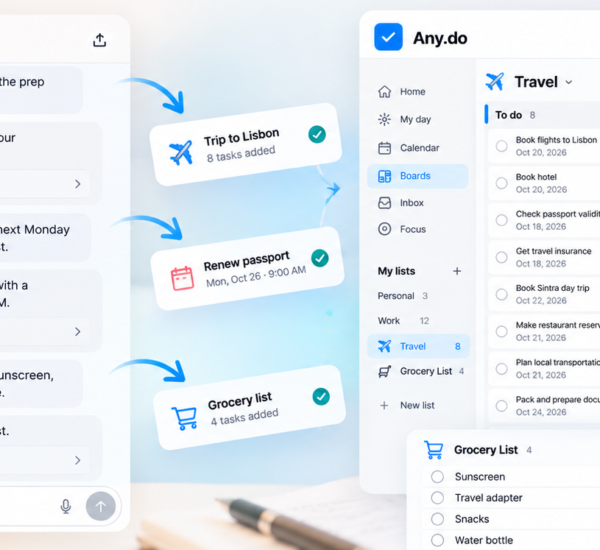
Any.do is a productivity platform that combines task management, calendar integration, team collaboration, and an AI assistant in a clean interface designed to get you working immediately. It is built around the idea that the gap between your to-do list and your calendar creates friction — and that closing that gap is the most important thing a productivity tool can do.
Any.do works across iOS, Android, Mac, Windows, and web. Tasks and calendar events appear in the same view. The AI assistant helps plan your day based on your schedule and priorities. How Any.do’s calendar and task integration works is one of its most practical advantages over tools that treat tasks and calendar as separate systems.
Notion vs Any.do: Feature by Feature
Task Management
Notion’s task management is database-driven. You create a database, define properties (status, assignee, due date, priority), and interact with tasks through filtered views. This is extremely powerful for complex projects with interdependencies. It is also significantly more setup than most people need for managing their daily work.
Any.do handles tasks directly, without a database layer. You create tasks, add subtasks, set due dates, assign reminders, and organize by project or list. Any.do’s subtask system lets you break large work into clear steps while keeping the structure visible. For most people managing their own tasks and their team’s tasks, this level of depth is exactly right without being excessive.
Winner: Notion for complex project databases. Any.do for fast, friction-free daily task management.
Calendar Integration
This is one of the clearest wins in the notion vs any.do comparison. Any.do’s calendar integration is native and central to the experience. Your tasks and your Google Calendar or Outlook events appear in the same unified daily view. You can plan your day, block time, and see what you have coming up without switching between apps.
Notion has a calendar view for databases, but it shows database entries on a calendar, not your actual schedule. There is no native integration with Google Calendar or Outlook that surfaces your meetings alongside your tasks in one place. If calendar-task integration is important to your daily workflow, this gap is meaningful.
Winner: Any.do, clearly.
Ease of Use
Notion has a learning curve. Building a workspace requires understanding how databases, relations, and views work. Many people find Notion templates helpful, but even starting from a template takes time to adapt. For teams, onboarding new members to a custom Notion workspace adds another layer of complexity.
Any.do is designed to be usable from the first minute. There is no workspace to design or database schema to define. You open the app, add tasks, and start working. For a team of 5 to 15 people who want to get organized without a setup project, this matters.
Winner: Any.do.
Docs and Knowledge Management
Notion wins this one without contest. It is genuinely excellent as a documentation platform, wiki, and knowledge base. If your team needs to write and maintain internal docs, store reference material, or build a structured knowledge system, Notion is one of the best tools available.
Any.do does not have a docs feature. It is a task manager, not a knowledge platform. If documentation is a core need, this is a real limitation.
Winner: Notion, decisively.
AI Features
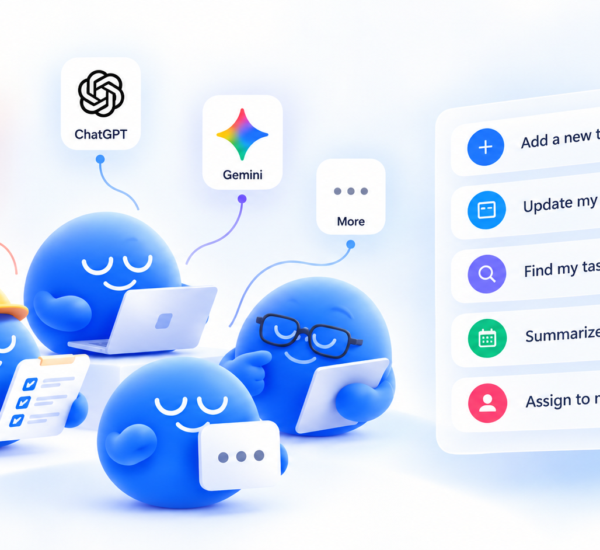
Any.do’s AI assistant is integrated into daily planning. It suggests task priorities, helps organize your day based on your calendar, and can automatically sort and surface what matters. For individuals and small teams without a dedicated project manager, this proactive assistance fills a practical gap.
Notion’s AI features are available on paid plans and focus on writing assistance, summarizing pages, and generating content within Notion. Both are useful but address different needs: Any.do’s AI helps you decide what to do and when, while Notion’s AI helps you write and organize information.
Winner: Any.do for personal planning AI. Notion for content and documentation AI.
Personal and Team Use
Any.do handles personal tasks, family coordination, and team collaboration in the same app. Your grocery list and your work project list live in the same place, organized separately. Shared task management for teams works naturally alongside personal task lists — you do not need separate apps or workspaces.
Notion is workspace-first. Personal use is possible, but the tool is not designed for grocery lists or family coordination. Most people who use Notion personally are using it for structured personal knowledge management or project tracking, not everyday task capture.
Winner: Any.do for people who want one tool across work and personal life.
Pricing
| Plan | Notion | Any.do |
|---|---|---|
| Free | Yes (limited blocks, 1 guest) | Yes (individuals) |
| Plus/Personal | $12/month per user | Lower per user |
| Business | $18/month per user | Team plan available |
For a team of 10, Notion Business costs $180 per month. Any.do’s team plan is meaningfully less expensive at comparable team sizes, which adds up over the course of a year.
Winner: Any.do for cost efficiency.
What Notion Does Better
Being honest means acknowledging where Notion is the right choice:
- Documentation and wikis: Notion is one of the best tools for building and maintaining team knowledge bases. Any.do does not compete here.
- Custom databases: If you need a CRM, content calendar, product roadmap, or any other structured relational database, Notion’s flexibility is hard to match.
- Interconnected projects: Linking databases, filtered views, and rollups across projects are Notion capabilities that Any.do does not have.
- Large teams with complex workflows: For organizations that need a shared system of record for documentation and project data, Notion’s depth justifies the setup investment.
When to Choose Any.do Instead
- You want to manage tasks today, not build a system first. Any.do works immediately. Notion requires investment before it works well.
- Calendar integration matters to your daily workflow. Seeing tasks and meetings in one view is built into Any.do. In Notion, it requires workarounds.
- Your team is 2 to 20 people and you need something everyone will actually use consistently without training.
- You need one app for work and personal life. Any.do handles both naturally.
- Cost is a factor. Any.do is more affordable at team scale without sacrificing the core collaboration features most teams use day to day.
The Bottom Line on Notion vs Any.do
If your team needs a documentation platform and a flexible workspace for structured data, Notion is the right tool. It earns its place for teams that will invest in building it out and maintaining it over time.
If your team needs to get organized, manage tasks, plan their days, and collaborate without a setup project, Any.do is the better fit. The lower friction means faster adoption, and the native calendar integration solves the daily planning problem that Notion leaves unaddressed.
For many teams, the answer is actually both: Notion for docs and knowledge management, Any.do for task management and daily planning. They do not overlap much in practice, and using each for what it does best produces better results than trying to force one tool to do everything.
Start With What You Actually Need
The right notion alternative for task management depends on whether you need a workspace or a task manager. If daily task management, calendar integration, and team coordination are the problems you are trying to solve, Any.do is built for exactly that. Try Any.do free and have your team set up within the hour.