Why Task Management for Teachers Is a Different Problem
Task management for teachers is not the same as task management for office workers. A typical productivity system assumes you have a desk, a calendar you control, and a to-do list that stays roughly stable through the day. Teaching does not work that way. You have 30 students in front of you, a parent calling during your prep period, papers to grade from three different classes, a mandatory staff meeting, and a lesson plan due to your department head by Friday. The tasks come from every direction at once, many of them feel urgent, and the consequences of dropping things fall on the people in your care.
The good news: the right task management approach for teachers is not complicated. It just needs to account for the specific rhythms of a school day and a school year.
The Core Problem: Too Many Contexts, Too Little Transition Time
Most teachers manage several completely different types of work simultaneously: instructional planning, student assessment, administrative tasks, communication with parents and colleagues, and professional development requirements. Each of these has its own deadlines, its own urgency, and its own mental mode.
The challenge is not that any one of these areas is overwhelming on its own. It is that they all arrive at the same time with no buffer between them. You finish teaching a class and immediately need to respond to a parent, grade the quiz from yesterday, update your grade book, and set up tomorrow’s activity. There is no time to sort through a messy task list between periods.
A good task management system for teachers solves this by organizing tasks into clear categories so you always know at a glance what belongs to which part of your day, and by keeping the list short enough that it is actually useful when you have 10 minutes between classes.
How to Set Up a Teacher Task Management System in Any.do
Create separate lists for each major area
Start by creating a list for each category of your work. A basic setup for most teachers might look like this:
- Lesson Planning — upcoming units, materials to prep, activities to design
- Grading — assignments, quizzes, and projects waiting to be assessed by class or date
- Parent and Admin Communication — emails to respond to, calls to make, forms to submit
- Meetings and PD — prep tasks for staff meetings, professional development requirements
- Personal — everything else that is not school-specific
Keeping these lists separate means you can open the “Grading” list during a free period and see exactly what is waiting, without sorting through lesson plan tasks or meeting prep at the same time.
Use due dates seriously
Teachers often avoid setting due dates on tasks because everything feels like it is due all the time. But this is exactly why due dates matter more in teaching than in most jobs. Grade book closes, report card deadlines, IEP meeting dates, and curriculum submission windows are real hard deadlines. Putting them in your task manager with the actual date means your daily planner shows what is genuinely due today versus what just feels urgent.
Any.do’s daily planner view shows your tasks and your calendar together, so you can see a staff meeting at 2pm and a grading deadline for the same day in the same view. This is one of the practical advantages covered in how calendar-integrated task management works for daily planning.
Capture during class with voice or quick-add
One of the most common ways teachers lose track of things is mid-class: a student mentions they submitted the wrong file, you notice a concept the class did not understand that needs a reteach, or a parent sends a message that you cannot respond to right now. The instinct is to try to remember it. The better move is to capture it immediately in 5 seconds and forget about it until your next free moment.
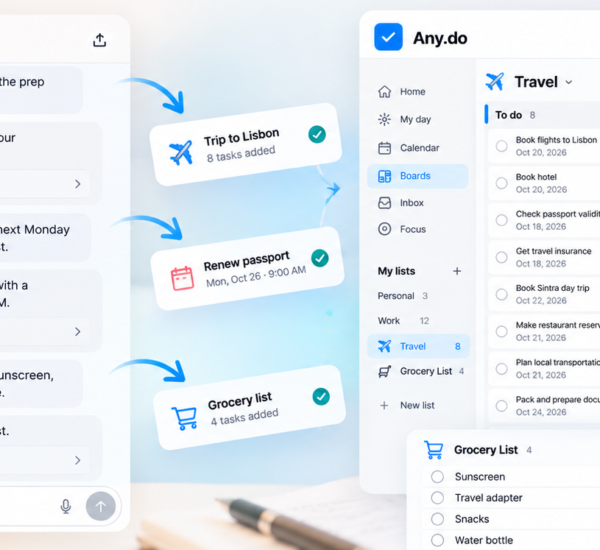
Any.do’s quick-add feature lets you add a task by voice or by typing a single line without opening a specific list. The task goes into your inbox and you can sort it into the right list later, during prep or at the end of the day.
Use subtasks for multi-step assignments
A single task like “Grade Period 3 essays” is not actionable until you know what grading actually involves. Breaking it into subtasks (read, comment, score, enter grade, return) makes the task easier to start and easier to track your progress through. Any.do’s subtask feature lets you expand any task into a checklist without creating a separate project for it.
Managing the School Year, Not Just the School Day
Good task management for teachers has to account for two time scales at once: the daily grind and the longer arc of the school year. Semester deadlines, curriculum mapping, standardized testing windows, and parent conference seasons are all predictable. They are not urgent in September, but they become crises in November if you have not prepared.
The fix is to put longer-horizon tasks in your system now, even when they feel distant. When you know curriculum night is in October, add a task in September: “Prep curriculum night materials — due one week before.” When you know midterm grades are submitted in November, add the task in October. These tasks will not appear in your daily planner until their due date approaches, but they will not fall through the cracks either.
Shared Lists for Team Teachers and Department Coordinators
If you co-teach, share curriculum planning with a colleague, or coordinate within a department, shared task lists turn individual task tracking into team coordination. Instead of texting a co-teacher to ask whether they have set up the group project rubric, you share the task list. The task is either done or it is not. No follow-up needed.
This works especially well for department chairs and team leads who are responsible not just for their own work but for tracking what others on the team need to do. Shared task management for teams applies directly to teaching teams: the mechanics are the same whether the team is a software squad or a sixth-grade teaching pod.
The Daily Routine That Makes Teacher Productivity Stick
The most effective teachers tend to have a consistent end-of-day routine that takes 10 to 15 minutes and prevents the next day from starting in chaos. Here is a version that works well with Any.do:
- Clear your capture inbox. Move anything you added during the day into the right list. Delete anything that turned out not to matter.
- Check tomorrow’s tasks and calendar. See what is due, what meetings you have, and whether there is anything that needs prep tonight.
- Set your top three for tomorrow. Mark the three tasks that are most important to complete in the next school day. These become your focus before everything else crowds in.
- Log anything you started but did not finish. “Grade Period 2 quizzes — in progress, 12 done, 14 remaining” is a useful note to leave for yourself.
This routine takes less time than most teachers spend mentally rehearsing their unfinished tasks on the drive home. It moves that cognitive load into a system so your evening can actually be your evening.
A Teacher Productivity App Should Be Simple Enough to Actually Use
The worst thing about most productivity advice for teachers is that it assumes you have time to maintain a complicated system. You do not. If a task manager requires 20 minutes of setup or a weekly system review to stay useful, it will be abandoned within a month. The best teacher productivity app is one you can use in 30 seconds between classes and rely on completely when you finally have a free period.
Any.do is free to start, works across all your devices, and does not require any configuration to be immediately useful. If you want a tool that keeps lesson plans, grading queues, and parent communication in one organized place without asking you to become a productivity system expert, it is worth trying. Start here and have your first lists set up before your next prep period ends.