Why Task Management for Students Is Different
Task management for students is not the same as task management for a professional with a fixed job description. As a student, your workload changes every week. You have assignments from multiple courses with overlapping deadlines, exams that require long preparation windows, extracurricular commitments, part-time work, and a personal life all running simultaneously. The tools and habits that work for managing a single job often fail in this environment because the demands are more varied and the consequences of missing something, a late submission, a missed exam, a failed group project, are more concentrated.
The best app for students is one that handles multiple simultaneous projects, makes deadlines highly visible, and is fast enough to actually use between lectures. This guide shows how to set up Any.do as a complete student task management system.
The Student Productivity Problem: Everything, Everywhere, All at Once
Most students try to track their workload across three or four different systems: a physical planner for class schedules, a notes app for assignment details, a calendar for exam dates, and mental notes for everything else. The problem is not a lack of effort. It is that fragmented tracking creates gaps. When your biology reading is in your notes app, your chemistry problem set deadline is in a group chat, and your essay due date is written on a sticky note, something eventually falls through.
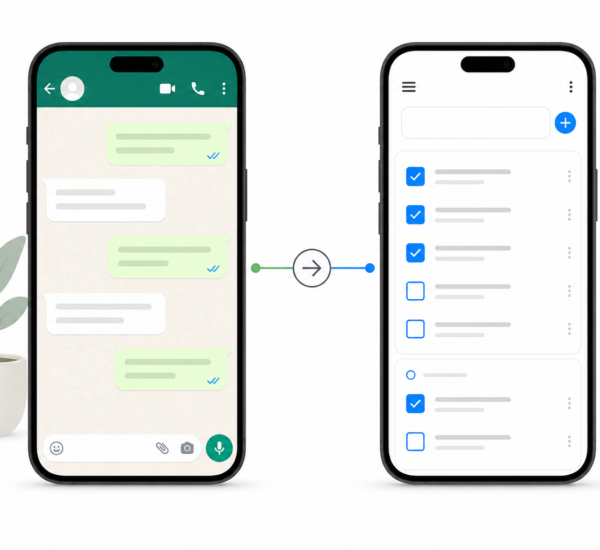
Consolidating everything into a single task management system removes the gaps. Any.do becomes the one place where all academic and personal tasks live, with due dates visible, organized by course, and synced to your calendar so nothing exists only in your memory.
Setting Up Any.do as Your Student Task Management System
Create one list per course plus a few personal lists
The starting structure that works for most students:
- One list per course you are currently taking (e.g., “BIOL 201,” “English Lit,” “Economics”)
- A “Deadlines This Week” list for items pulled from course lists that need immediate attention
- A “Personal” list for non-academic tasks: errands, appointments, social commitments
- A “Someday” list for ideas and optional tasks that are not commitments yet
This structure keeps course work separated so you are not staring at a combined list of seventy items. When you need to see what is outstanding for English Lit specifically, you go to that list. When you need your daily overview, you go to “Deadlines This Week.”
Add every assignment the moment it is announced
The most important student productivity habit is immediate capture. When a professor announces an assignment in class or posts one to your course platform, add it to Any.do before you close your laptop or leave the room. Do not rely on remembering to add it later. The task goes in with the due date, the course list it belongs to, and a note with the key requirements if you have time.
This habit, done consistently for one week, eliminates the category of “I forgot that was due” entirely. Everything that has been announced exists in your task list. Nothing lives only in a course platform you check irregularly or a class chat you might miss.
Use subtasks for multi-part assignments
Essays, research projects, and lab reports are not single tasks. An essay has a research phase, an outline phase, a draft phase, and a revision phase, each of which might take multiple sessions across multiple days. Adding the essay as a single task with a due date misrepresents the actual work involved and makes it easy to underestimate how early you need to start.
Breaking the essay into subtasks, with the final submission date on the parent task and earlier milestone dates on the subtasks, makes the real scope visible. When the research subtask appears in your daily planner three weeks before the deadline, you start on time. Any.do’s subtask feature is exactly how to handle this without creating a separate project for every assignment.
Connect your academic calendar
Most universities provide calendar feeds for course schedules, exam periods, and academic deadlines. Import these into Google Calendar or Apple Calendar and then connect that calendar to Any.do. Your class schedule and exam blocks will appear in Any.do’s daily planning view alongside your tasks, so you can see at a glance how much time you actually have on any given day before planning what to work on.
This matters most during exam period, when your available study blocks are limited by the exam schedule and getting your priorities wrong has immediate consequences. The unified task and calendar view shows you both your tasks and your time constraints together, which changes how you make daily planning decisions.
Managing Exam Periods With Any.do
Exam periods are the highest-stakes time in a student’s calendar and the time when task management breaks down most often. The problem is usually not preparation effort but planning. Students frequently spend the week before exams studying the wrong things in the wrong order because they have not mapped out how many days they have, how many exams they are facing, and which subjects need the most attention.
A simple Any.do approach to exam period:
- Add each exam as a task with the exact date and time as the due date
- Work backwards from each exam and add study session tasks for each subject, distributed across the available days. “BIOL 201 study session — Chapters 8-10” on Monday. “Economics review — Macro unit” on Tuesday. Each session is a specific task with a specific date.
- Use the calendar view to verify the study plan is realistic given any other commitments during the period
- Check off each study session as it is completed. The visual progress of completed tasks across the week is motivating and makes it easy to see if you are falling behind the plan early enough to adjust
Staying on Top of Group Projects
Group projects are where student task management gets complicated. Each person has individual responsibilities, the group has shared deadlines, and communication about who is doing what happens across multiple channels. Any.do’s shared list feature lets you create a project list that all group members can see and contribute to, with tasks assigned to specific people and due dates visible to everyone.
Setting up a shared Any.do list at the start of a group project takes five minutes and removes the most common group project failure mode: unclear ownership. When each task is explicitly assigned to a person with a due date, there is no ambiguity about who is responsible for what. Shared task management in Any.do covers how this works for groups of any size.
The Daily Student Routine: 10 Minutes That Keep Everything on Track
The students who consistently submit work on time and avoid last-minute panic tend to have a brief daily planning routine. Here is a version that takes about ten minutes and applies the core habits that make task management for students actually work:
- Morning check: Open Any.do and look at today’s tasks. What is due today? What study sessions or assignments are planned for today? Are there any tasks that are overdue from yesterday?
- Calendar scan: Look at the calendar alongside your task list. How many classes do you have today? How many free hours do you actually have to work on tasks?
- Pick your top three: From everything visible, identify the three most important things to accomplish before the day ends. Usually one is an immediate deadline, one is progress on something due later in the week, and one is preparation for an upcoming class.
- Capture anything new: Did anything arrive overnight, a new assignment posted to your course platform, a reminder from a professor? Add it to the right list with a due date before it can get lost.
This routine keeps the system current and prevents the accumulation of uncaptured tasks that eventually overwhelm any system. Building a daily capture habit is what separates students who feel in control of their workload from those who are constantly reacting to what just became urgent.
Any.do for Students: Beyond Academics
Student life is not only coursework. Job applications, internship deadlines, campus organization responsibilities, apartment tasks, and personal goals all compete for the same limited time. One of Any.do’s genuine advantages as a student tool is that it handles personal and academic tasks in the same app without requiring separate systems for each.
Your “Personal” list sits alongside your course lists. A reminder to renew your student ID and a reminder to submit your economics problem set are both visible in your daily planning view, both have due dates, and both get checked off in the same place. Using one system for all of your commitments is more reliable than maintaining separate systems for different areas of your life.
Start Before the Semester Gets Overwhelming
The best time to set up a student task management system is at the start of a semester, before the work accumulates. The second best time is right now.
Any.do’s free tier covers everything a student needs: unlimited tasks, course lists, due dates, subtasks, and calendar integration. Setting up the basic structure, one list per course plus a personal list, takes about ten minutes. Adding assignments as they come in takes ten seconds per task. The payoff is a semester where deadlines do not surprise you and exam periods are planned rather than chaotic.
If you are not yet using Any.do, start free here and have your course lists set up before your next class.