How to Organize Your Life When It Feels Like Too Much
There is a specific kind of paralysis that sets in when everything feels overwhelming. You have too many things to do, none of them feel manageable, and instead of starting you find yourself doing nothing at all. If you are trying to figure out how to organize your life right now, the problem is usually not a lack of motivation. It is the absence of a clear starting point.
This guide gives you one. Not a 47-step productivity system. Not a morning routine that requires waking up at 5am. Just a practical process for getting out from under the pile and building habits that keep things manageable going forward.
Why Feeling Overwhelmed Is a System Problem, Not a You Problem
When everything feels like too much, it is tempting to blame yourself. You tell yourself you are lazy, or disorganized, or bad at this. Almost always, that is wrong. The real issue is that your inputs (things coming at you) have outpaced your system (your process for handling them).
More responsibilities, more communication channels, more decisions, more commitments. At some point the informal system most people use, keeping things in their head and hoping they remember, stops working. The anxiety you feel is not a character flaw. It is a signal that your current approach can not handle the load.
The solution is building a simple external system to hold everything, so your brain is not trying to track it all at once.
Step 1: Do a Complete Brain Dump
Before you can organize anything, you need to get it all out of your head. Take 20 to 30 minutes and write down every single thing that is on your mind. Everything you need to do, want to do, are worried about forgetting, have been putting off, and know you should handle eventually.
Do not organize it yet. Do not prioritize. Just capture everything onto a list, whether on paper or in an app. The goal is an empty mental inbox. When your brain is no longer spending energy trying to remember things, it can start actually working on them.
This is the foundation of the Getting Things Done method developed by David Allen, and it works because the act of capture is itself relieving. Most people feel calmer within minutes of completing a full brain dump.
Step 2: Sort by Area of Life
Once you have your list, group items into broad areas. Common ones include: work, home, health, finances, relationships, and personal projects. Do not overcomplicate this. Three to five categories is enough.
The purpose of this step is to see what is actually going on. Most people who feel overwhelmed discover, once they sort their list, that one or two areas are responsible for 80 percent of the stress. A project at work is bleeding into everything. A neglected home task is sitting at the back of your mind constantly. Seeing it clearly makes it less scary and more actionable.
Step 3: Identify Your Next Actions
Here is where most to-do lists fail. Items like “deal with taxes” or “sort out the spare room” are projects, not tasks. They require multiple steps and there is no obvious place to start, so they sit on the list making you feel guilty without moving forward.
For each item on your list, ask: what is the very next physical action that would move this forward? “Deal with taxes” becomes “find last year’s tax documents and put them in a folder.” “Sort out the spare room” becomes “spend 15 minutes clearing one shelf.” Concrete, specific, small enough to actually start.
This shift from vague projects to concrete next actions is one of the most practical ways to stop feeling stuck and start making decisions about what to actually work on.
Step 4: Give Everything a Home in One System
The single biggest organizational mistake people make is scattering their commitments across different places. Some tasks are in email. Some are on a sticky note. Some are in a notebook from three weeks ago. Some are just in their head. When your system is fragmented, nothing gets done reliably because nothing has a real home.
Pick one place for all your tasks and use it consistently. It does not matter much which tool you use, as long as it meets two criteria: it is with you all the time, and it is easy enough to add to immediately. A task manager on your phone that syncs to your laptop covers both.
Once everything lives in one place, you can see the full picture, prioritize properly, and stop worrying that something is slipping through the cracks.
Step 5: Plan Your Day the Night Before
One of the most practical habits for staying organized is deciding the night before what you will actually work on the next day. Not a full schedule. Just three to five things that, if completed, would make the day feel like a success.
This takes five minutes and removes one of the biggest sources of daily overwhelm: the vague, anxious morning feeling of “I have so much to do, where do I even start?” When you already know the answer, you start faster and focus better.
If you want to go deeper on this kind of daily structure, the time blocking method pairs well with a task list by giving you specific windows for specific work.
Step 6: Build In a Weekly Review
No system stays organized on its own. Life adds new things constantly, priorities shift, and tasks pile up faster than you process them. The fix is a short weekly review, around 15 to 20 minutes, where you:
- Clear your inbox and capture anything new
- Review what you completed and what moved forward
- Look at the week ahead and move tasks to specific days
- Drop anything that is no longer relevant
This keeps the system current without requiring constant maintenance. Most people find that doing this on Sunday evening or Friday afternoon means they start the following week with a clear head instead of playing catch-up.
How Any.do Helps You Apply This System
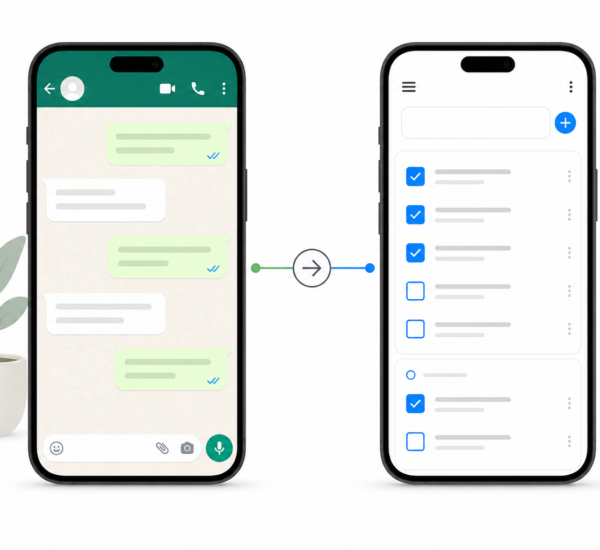
Any.do is designed around exactly the kind of simple, flexible system described above. You can capture tasks quickly from anywhere, organize them into lists by area of life, assign due dates, and plan your day using the built-in daily planner. Tasks sync instantly across your phone, tablet, and computer, so your system is always with you.
The daily planner in Any.do is particularly useful for the “plan the night before” habit. It shows you everything due or scheduled for the day and lets you drag tasks into your day with context from your full list. You are not starting from a blank page. You are making a small set of decisions from a complete picture.
For those moments when everything feels like too much, Any.do’s AI assistant can also help suggest priorities based on due dates and patterns, taking some of the decision-making load off your plate.
Start Small and Build From There
The goal here is not to build a perfect system in one day. It is to take the first step out of the overwhelm. Do the brain dump. Sort it. Identify one next action in each area. Put it somewhere you will actually see it.
That is enough for today. The rest builds naturally once you have somewhere for things to go.
If you want a tool that makes this kind of simple, consistent system easy to maintain, Any.do is free to get started. Most people have their first tasks captured within minutes of signing up.